
AI-powered alt text generation for Statamic assets using OpenAI, Claude or Gemini through the Laravel AI SDK.
Features
- Automatically generates alt text for images with OpenAI, Anthropic (Claude) or Gemini
- Works with JPG, PNG, Webp and GIF files (SVG is not supported)
- Available in both list and detail views
- Queued job processing to handle large batches
Requirements
- Statamic 6.0+
- PHP 8.3+
- An API key for OpenAI, Anthropic or Gemini
- Laravel Queue worker (for background processing)
Installation
- Install the package:
composer require croox/statamic-ai-altphp artisan vendor:publish --tag=statamic-ai-alt --force- Add the API key of your provider and the target language to your
.envfile:
# One of: openai, anthropic, gemini (empty: the default of config/ai.php)AI_ALT_PROVIDER=anthropicANTHROPIC_API_KEY=<your-api-key-here># OPENAI_API_KEY=<your-api-key-here># GEMINI_API_KEY=<your-api-key-here> # Optional: a specific model (empty: the provider's cheapest model)# AI_ALT_MODEL= # Language of the alt textAI_ALT_LANGUAGE="English"Upgrading from 2.x
OPENAI_ALT_LANGUAGE and OPENAI_MODEL are now AI_ALT_LANGUAGE and AI_ALT_MODEL. OPENAI_API_KEY stays as it is; set AI_ALT_PROVIDER=openai if config/ai.php defaults to another provider.
Usage
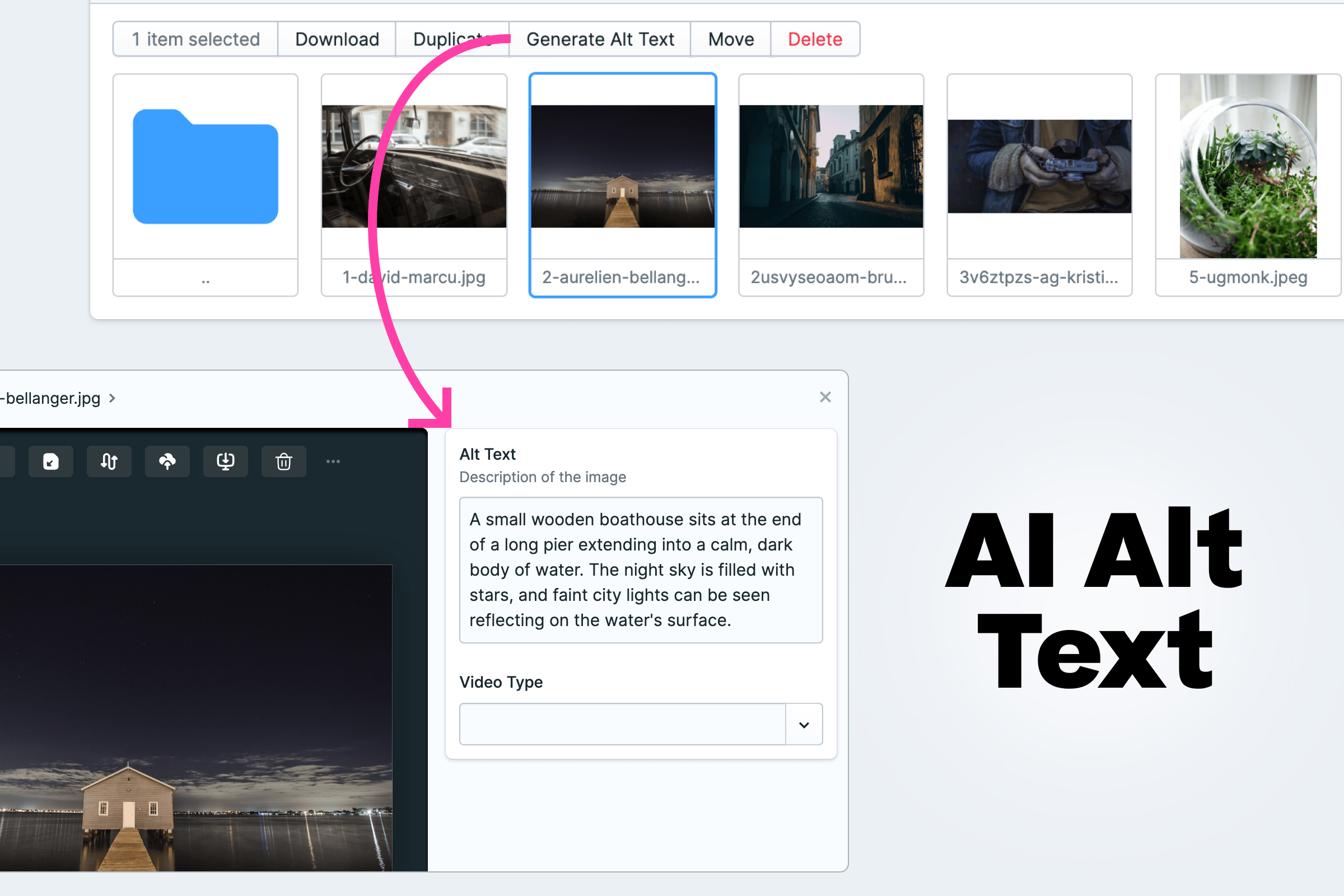
- In the Assets section of the Control Panel, select one or more images
- Click the "Generate Alt Text" action
- The alt text will be generated in the background and saved to your assets
In the asset editor, the wand on a textarea field with the handle alt fills the field right away. Nothing is saved until you save the asset.
Future ideas / missing features
- Support SVG
- Check for existing alt text before overriding with API results