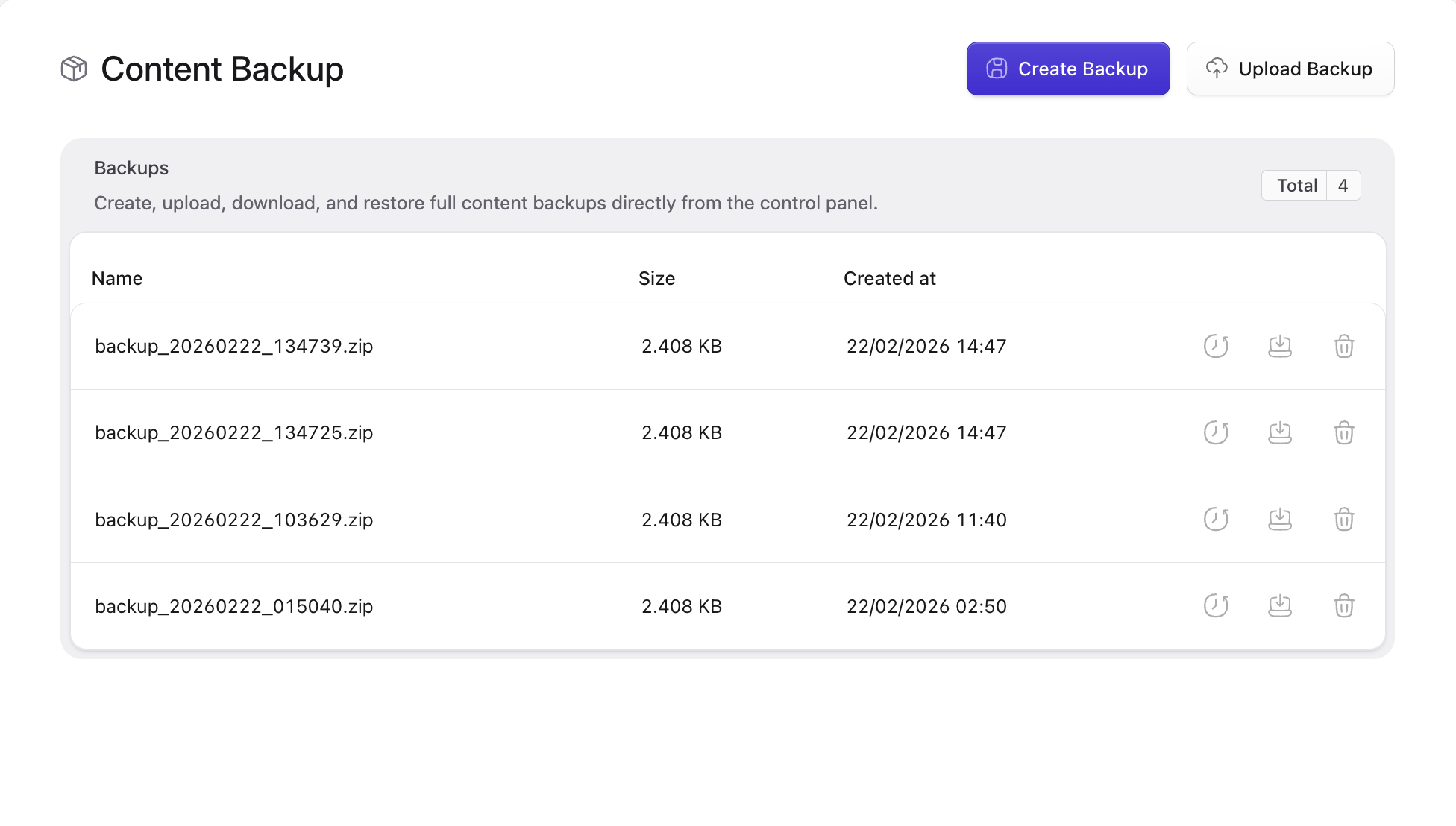

Statamic Content Backup is a Statamic addon that allows control panel users to create, download, upload and restore content backups easily.
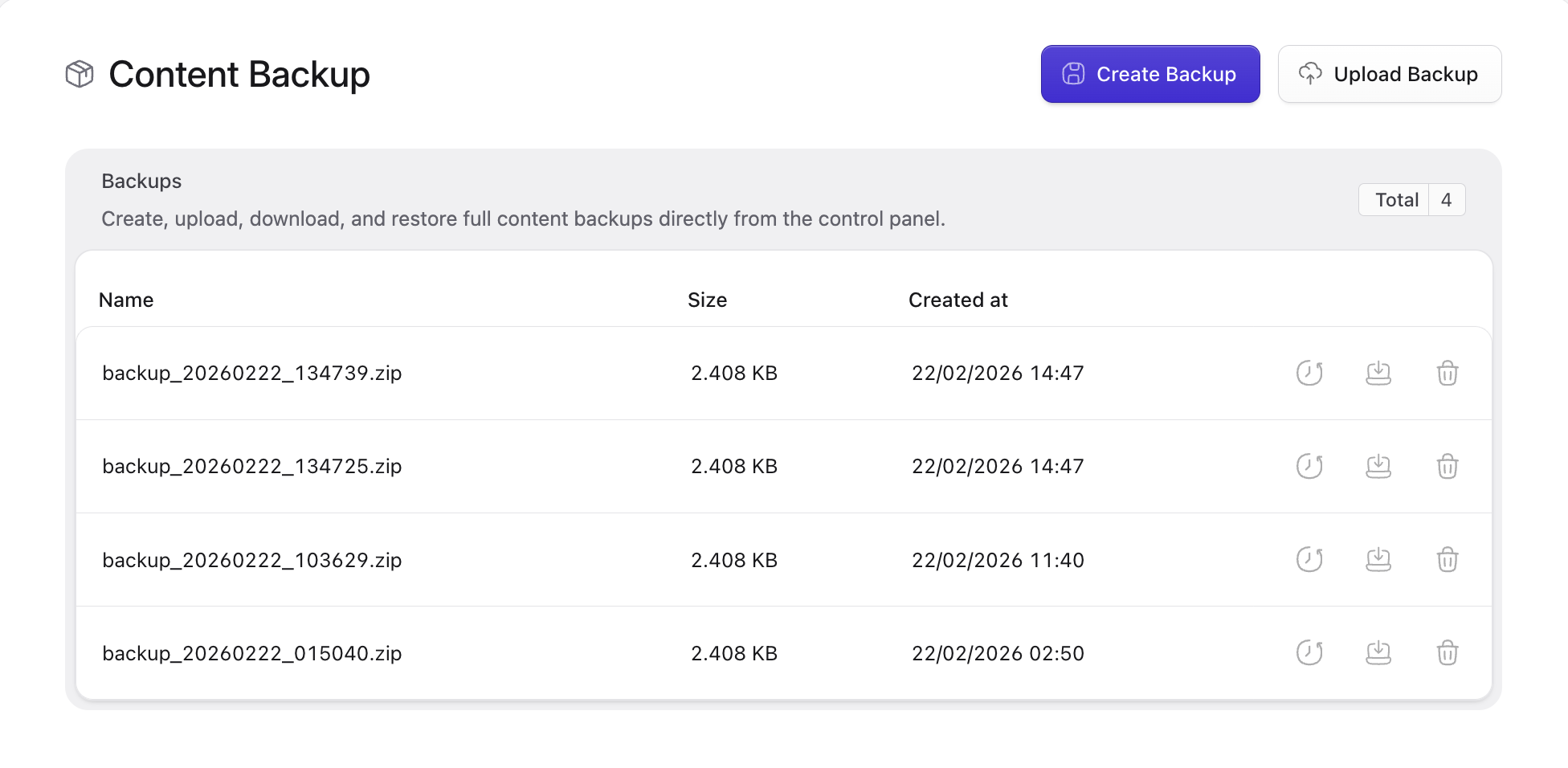
Features
- Create and restore content backups from the control panel
- Back up files, folders and database tables
- Upload and download backups of any size (uploads are sent in chunks)
- Backups and restores run in the background via Laravel queues
- Failed restores put your files back as they were
Requirements
- PHP
zipextension - A queue worker (see Queue)
- To back up database tables, the database command line tools on the server:
mysqldumpandmysql,pg_dumpandpsql, orsqlite3
Installation
Install this addon running the following command from your project's root directory:
composer require lucapon/statamic-content-backupAfter installation, publish the configuration file with:
php artisan vendor:publish --tag=statamic-content-backup-configQueue
Backups are created and restored by queued jobs. Make sure QUEUE_CONNECTION is not set to sync (the default in Statamic's .env), otherwise they run inside the HTTP request and large backups may hit your web server timeouts. Then run a queue worker, in production with a process monitor such as Supervisor:
php artisan queue:workJobs can run for up to 20 minutes, so set the retry_after value of your queue connection in config/queue.php higher than that (e.g. 1260).
Usage
Once installed, the addon is available under Utilities > Content Backup in the Statamic control panel.
Access is granted with the access content_backup utility permission, under Users > Roles > Utilities. Only give it to trusted users: restoring a backup overwrites every file and table in your configuration, so whoever can upload and restore backups can change any content, and any user account if the users folder is included.
Configuration
The configuration file is located at config/statamic-content-backup.php:
include_files: files and folders to back up, relative to the project rootinclude_tables: database tables to back upbackup_folder: where backups are storedbackup_filename_format: name of the created backups, with the{date},{time}and{appName}placeholdersupload_chunk_size: size of the upload chunks (see Uploading large backups)
Restoring a backup
Restoring a backup brings the configured files and folders back exactly as they were when the backup was created, so files added since then are removed. Paths added to or removed from include_files after the backup was created are left untouched.
The configured database tables are replaced with the ones in the backup. With PostgreSQL, a table can't be restored while other tables have foreign keys pointing to it.
If a restore fails, files and folders are put back as they were. Database tables are not rolled back: the ones restored before the error keep the backup data, and the one that failed may be left incomplete.
Only one backup or restore can run at a time.
Uploading large backups
Backups are uploaded in chunks, so their size is not limited by PHP or the web server. Each chunk is 1 MB by default and must stay below upload_max_filesize, post_max_size and the web server body limit (e.g. nginx client_max_body_size). You can change it with the upload_chunk_size option.
Interrupted uploads older than 24 hours are deleted automatically when a new upload starts.
Upgrading
Upgrading to v3
If you upgrade to version ^2.0.0 or ^3.0.0, it is recommended to republish the configuration file to ensure compatibility with the updated features. Run the following command:
php artisan vendor:publish --tag=statamic-content-backup-config --forceThis will overwrite your old configuration file with the updated version. Be sure to review the new configuration file for any additional options or changes.
Upgrading to v4
Version 4.x requires Statamic 6 (and Laravel 12 or 13). It is not compatible with earlier versions of Statamic.
composer require lucapon/statamic-content-backup:^4.0Permissions: In v3, the addon used a custom permission (statamic-content-backup-permission). In v4, permissions are managed automatically by Statamic's utility system. The permission is now access content_backup utility and can be configured under Users > Roles > Utilities in the control panel.
Upgrading from v4.0
- Restores now run in a queued job too: check the Queue settings, including
retry_after. - If you back up database tables, the
mysql,psqlorsqlite3client must be installed on the server, besides the dump tool. - Restart your queue workers after updating (
php artisan queue:restart), otherwise they keep running the old code. - The
storage/app/chunksfolder used by the old uploader is no longer needed and can be deleted. - Optionally, add the new
upload_chunk_sizeoption to your configuration file.
Testing
composer installcomposer testThe tests use SQLite by default and need the sqlite3 client. To run them against another database, set the DB_* environment variables:
DB_CONNECTION=mysql DB_HOST=127.0.0.1 DB_DATABASE=testing DB_USERNAME=root DB_PASSWORD= composer test