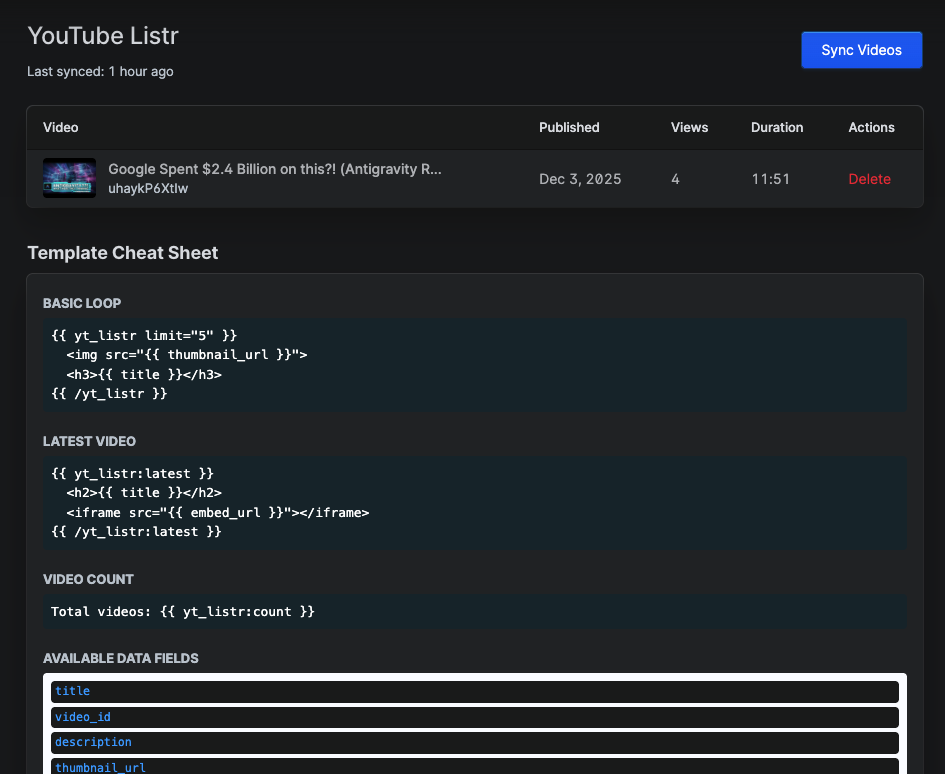

A Statamic addon that syncs YouTube videos from a channel to your local database and provides Antlers tags to display them.
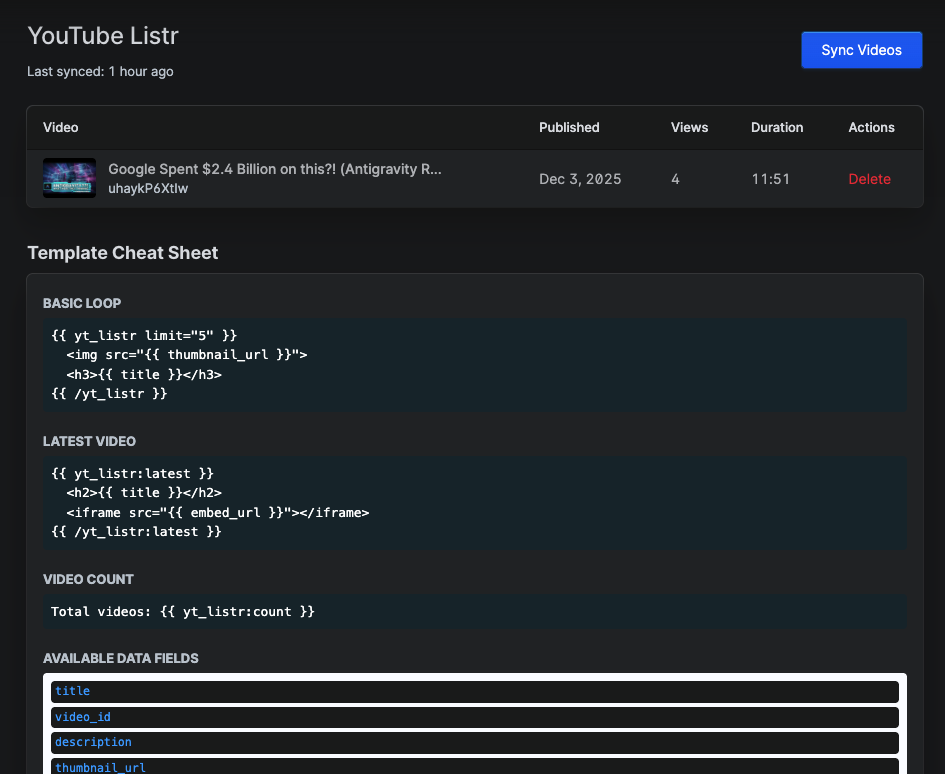 Manage your YouTube videos directly from the Statamic Control Panel
Features
- 🎥 Sync YouTube videos from any channel
- 📊 View video stats (views, likes, duration)
- 🏷️ Easy-to-use Antlers tags for frontend display
- 🔄 Manual or automated syncing
- 💾 Local database storage for fast access
- 🎨 Clean Control Panel interface
Installation
You can install the package via Composer:
composer require huement/statamic-ytlistrThe package will automatically register itself with Statamic.
Requirements
- PHP ^8.1
- Statamic CMS ^5.0 || ^6.0
Configuration
Add these variables to your .env file:
YOUTUBE_API_KEY=your_youtube_api_keyYOUTUBE_CHANNEL_ID=your_youtube_channel_idYOUTUBE_MAX_RESULTS=50Usage
Sync Videos
Via Control Panel:
- Navigate to Tools > YouTube Listr
- Click "Sync Videos from YouTube"
Via Command Line:
php artisan ytlistr:fetchphp artisan ytlistr:fetch --limit=100Template Usage
Statamic YouTube Listr is entirely template-engine and storage-driver agnostic. Whether your frontend is powered by Antlers or Blade, and whether your backend uses the Database or Flat-File (YAML) driver, your data maps will render perfectly.
1. Antlers Templates
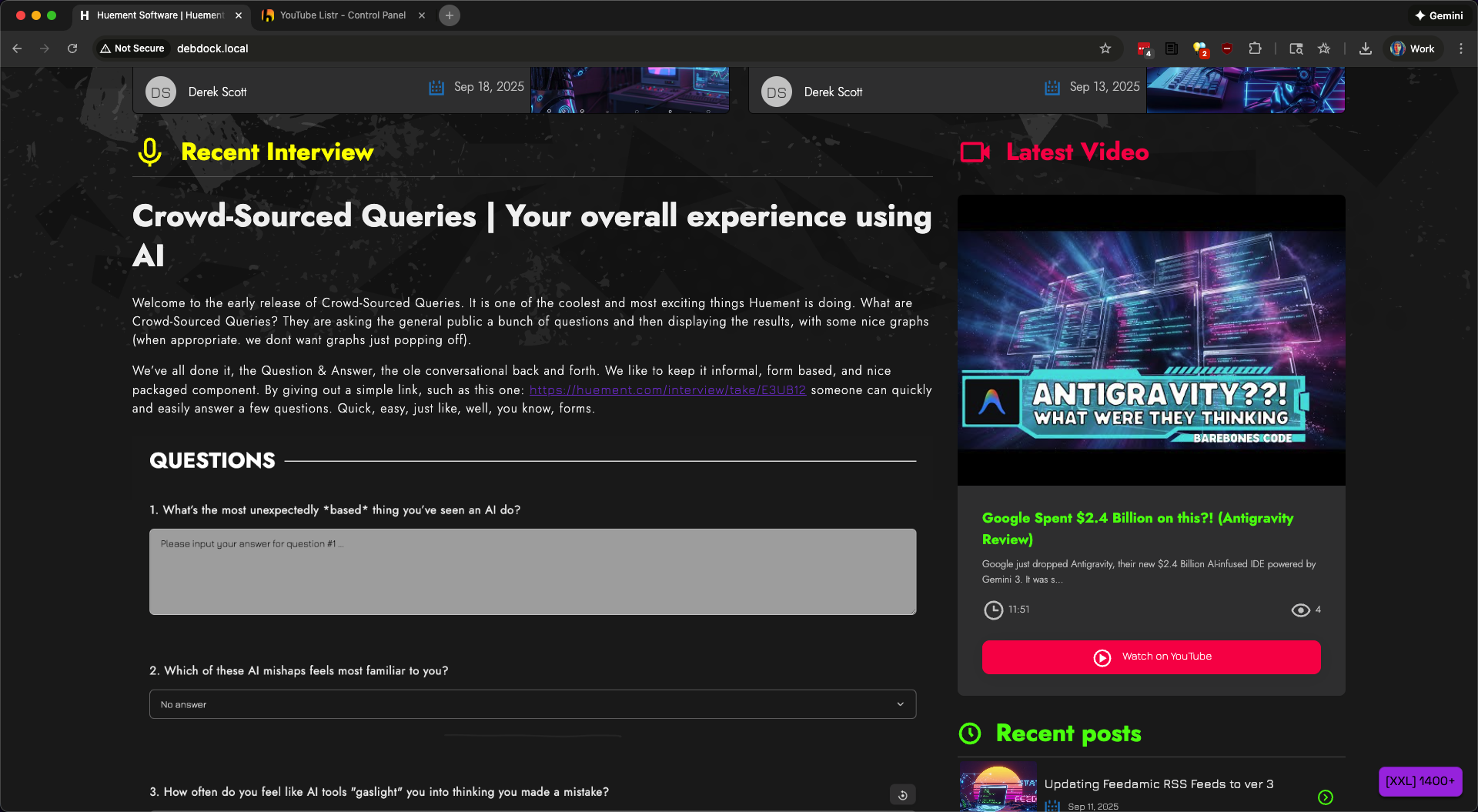 Display your YouTube videos beautifully on the frontend
List and filter recent videos:
{{ yt_listr limit="5" }} <h3>{{ title }}</h3> <img src="{{ thumbnail_url }}" alt="{{ title }}"> <p>{{ duration_formatted }} | {{ view_count }} views</p> <a href="{{ youtube_url }}">Watch on YouTube</a>{{ /yt_listr }}Get the Single Latest Video
{{ yt_listr:latest }} <h2>{{ title }}</h2> <iframe src="{{ embed_url }}" frameborder="0" allowfullscreen></iframe>{{ /yt_listr:latest }}Get total video count:
Total videos: {{ yt_listr:count }}2. Laravel Blade Templates
If you are building your frontend templates using standard Laravel Blade, you have two ways to fetch and loop through your video entries safely.
Approach A: Statamic Blade Components (Cleanest) Statamic registers an engine-level <s:tag> layout scheme that perfectly mirrors standard Antlers markup. It hooks up scopes and isolates variables automatically:
<s:yt_listr:latest> <h2>{{ $title }}</h2> <p>{{ $duration_formatted }}</p> <iframe src="{{ $embed_url }}" frameborder="0" allowfullscreen></iframe></s:yt_listr:latest>Approach B: Direct Service Container Binding
If you prefer extracting data arrays straight into traditional Blade inline variables, resolve the contract binding from the container.
Crucial Optimization: ALWAYS route parameters through Laravel's native data_get() wrapper. This guarantees that your loop evaluates keys correctly whether the active driver outputs a typed Database Eloquent Model Object or a raw flat-file YAML Data Array. If you dont do this, it will break your loops.
@php // Dynamically resolves DatabaseVideoRepository or YamlVideoRepository based on config $repo = app(\Huement\StatamicYtListr\Repositories\VideoRepository::class); $videos = $repo->recent(6); // Fetch the 6 most recent tracking records@endphp @foreach ($videos as $video) <a href="{{ data_get($video, 'youtube_url') }}" target="_blank" rel="noopener"> <img src="{{ data_get($video, 'thumbnail_url') }}" alt="{{ data_get($video, 'title') }}"> <h3>{{ data_get($video, 'title') }}</h3> <div> <span>Duration: {{ gmdate('i:s', (int) data_get($video, 'duration', 0)) }}</span> <span>Views: {{ number_format((int) data_get($video, 'view_count', 0)) }}</span> </div> </a>@endforeachAvailable Data
Each video provides:
id- Database IDvideo_id- YouTube video IDtitle- Video titledescription- Video descriptionthumbnail_url- Thumbnail image URLpublished_at- Publication dateduration- Duration in secondsduration_formatted- Human-readable duration (MM:SS)view_count- Number of viewslike_count- Number of likescomment_count- Number of commentschannel_id- YouTube channel IDchannel_title- Channel nameyoutube_url- Full YouTube URLembed_url- YouTube embed URL
Credits
Created and sponsored by Huement.com - A software studio creating awesome content and exceptional web experiences.
Links
Have you seen my comments plugin?
I have a new Statamic 6+ Comments Plugin, called StatComm. It's pretty great! Check it out!
License & Sponsorship
Distributed freely under the open-source MIT License. Maintained, optimized, and engineered / sponsored by HUEMENT.
If this software saved you time or a headache, consider keeping the engine running!