The Newsroom → Stories → Dec 19th, 2025
2025 – A Year Well Spent
2025 – A Year Well Spent
 Jack McDade
•
12 min read
Jack McDade
•
12 min read

As the year winds down and the team here at Statamic is about to take our annual Christmas/New Years break, I wanted to take a little time to reflect on and share what’s been happening behind the scenes at Statamic.
If you’ve been following along, you may have noticed that Statamic 6 didn’t land as early in the year as originally planned. That wasn’t due to uncertainty, scope creep, or external pressure — in fact, quite the opposite.
We slowed down intentionally.
We wanted this update to be different. Statamic 6 isn’t just another iteration — it's not a little makeover and a quick dependency update — it’s a release designed to set us up for the next 5–10 years. It's a chance to eliminate our technical debt and set the entire community up for massive success and reduced friction across the entire landscape of the Statamic ecosystem. And if that sounds ambitious, it's because it is.
Instead of trying to cut corners or cut out features we felt were critically important just to hit an arbitrary launch date, we just threw out the date altogether. In short — it takes what it takes, and that's that.
Here we are mid-December and I'm happy to say that Statamic 6 is ready. It's more than ready. By design. We'll wait until the New Year to tag everything and call it final, but as far as we're concerned here, we're just crossing our eyes and dotting the tees.
And all this along with keeping Statamic 5 up to date, adding quality of life improvements, fixing issues, and backporting a few nice things here and there from our v6 work.
As of this blog post, our Statamic 6 branch represents the efforts of 883 PRs.
So what's all the fuss about?
What are these big, fundamental changes and updates, and why should you care? Glad you asked.
Those changes fall into 3 main buckets – Modernizing our architecture, Extensible UI/UX, and Security. I want to get into a bit more of the thought behind these changes, rather than just running down screenshots, which we've already done in this preview post.
Modernizing our Architecture
If you peel back the sticker on Statamic 6, you'll find a major modernization of the control panel’s architecture. We didn't just paint the walls; we ripped out the wiring and replumbed it for the next decade.
It started with Vue 3
We’ve fully embraced Vue 3, which brings improved performance, the ability to use the latest and greatest third-party components and libraries, and sets us up for long-term supportability. Vue 2 is dead. Long live Vue 3. We shoulda done this a while ago—it's table stakes. But this is just where Statamic 6 started and this part was finished back in February or March.
And then came Inertia.js
With all this new sexy JavaScript and Vue under the hood (and a little bit of TypeScript here and there), it was increasingly and painfully obvious that our Control Panel's MVC-type approach (using full page requests that require hydrating all of our Vue components every request) was no longer acceptable. If it ever was. I mean, for most people it really did feel snappy, but it had some serious flaws on more robust sites.
So rather than saying "oh well we'll fix it in Statamic 7" because the schedule says we ship now, we just kept our momentum moving forward and refactored the entire Control Panel to use Inertia.js. Inertia allows the Control Panel to run as a SPA (Single Page Application), but with controllers and blade templates, so we didn't have to rewrite everything from scratch and duplicate a ton of work.
We care immensely about upgrade experiences and feel the burden of not wanting to force people to write or abandon their addons and hard work, so we set out and solved the problem before it became one. Any addons or extensions that aren't updated to use Inertia will simply trigger a page reload and everything will Just Work™. Nobody's site breaks, everybody's happy.
This gives us a huge performance gains as the UI no longer has to reload statelessly every request. Every action you take feels nearly instant. It's smooth as butter and tastes even better. Butter is butter (IYKYK). 🧈
A proper UI component library
We created a brand new internal UI component system that we then used to redesign/refactor the UI. Instead of a bunch of one-off CSS classes and monolithic super components, the control panel is now assembled with lots of discrete, documented, and tested UI components that everyone can use to customize and extend their own addons and extensions.
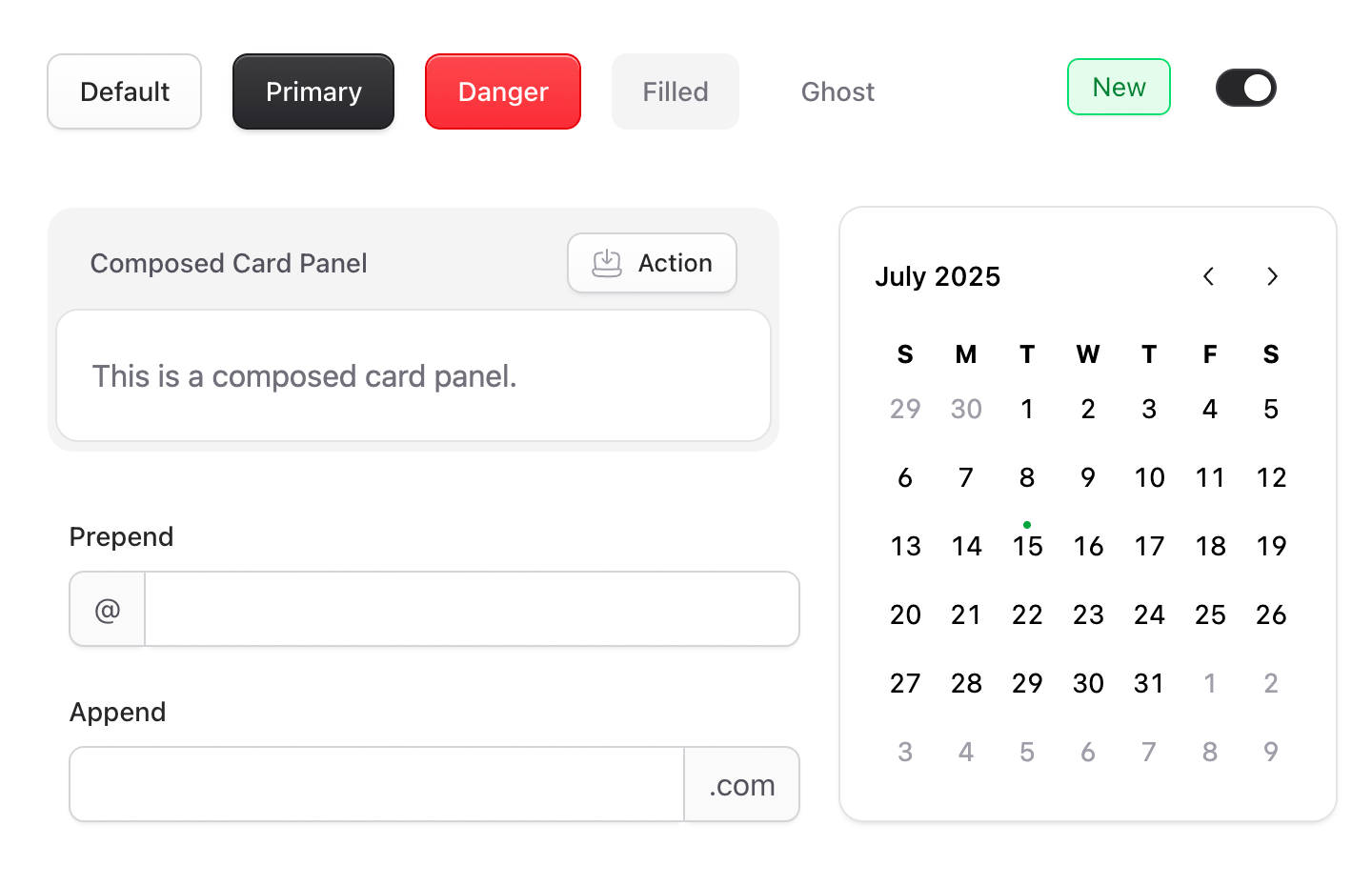
Not only that, but we took the time to refactor many of our "internal" components (e.g. Listings) to make them easy to use in your addons or CP extensions.
We then integrated Storybook.js so you can explore all the components interactively along with proper documentation. It's a thing of beauty.
Many of these components are built on top of Reka UI, an unstyled primitive component library for Vue that helped us level up our accessibility and composability game.
Tailwind 4
We took the opportunity of a UI redesign to finally lean all the way into the Tailwind way of doing things. Statamic 6 uses native Tailwind color palettes, native CSS variable configuration, the latest Vite configs, and we've done what turned out to be the very painful, tedious work of fine-tuning a perfect front-end Vite build system for addons so everything Just Works™, compiles, and doesn't clash or collide with our first-party CSS. 😅
Blade + Antlers Components
Antlers isn't going away and Blade is here to stay, so we did the hard work and made them play even nicer together. There is no right or wrong answer when it comes to template languages — this is a you preference. But in Statamic 6, you'll be able to use Blade Components in Antlers, and tap into Antlers Tags in Blade. Like so:
<!--This works in Antlers-->{{ collection:pages }} <x-card :$title />{{ /collection:pages }}<!-- This works in Antlers *and* Blade --><s:collection:pages> {{ $title }}</s:collection:pages>Timezone storage vs display
We now store dates in UTC but display them in each user's local timezone. We can write that in 14 words but I assure you, it took a lot more work implement. This was often a point of confusion as to what actual date an entry ever really lived on. If an author was in the UK and published an entry at 1am but the site was in the US, was it yesterday's? Gone is the confusion. Consistency is king.
User Interface/User Experience
The most visible change in Statamic 6 is the completely redesigned control panel — but what’s important isn’t just how it looks. That's why I didn't start this post with the obvious sizzle. I want you to understand why we did all the things we did.
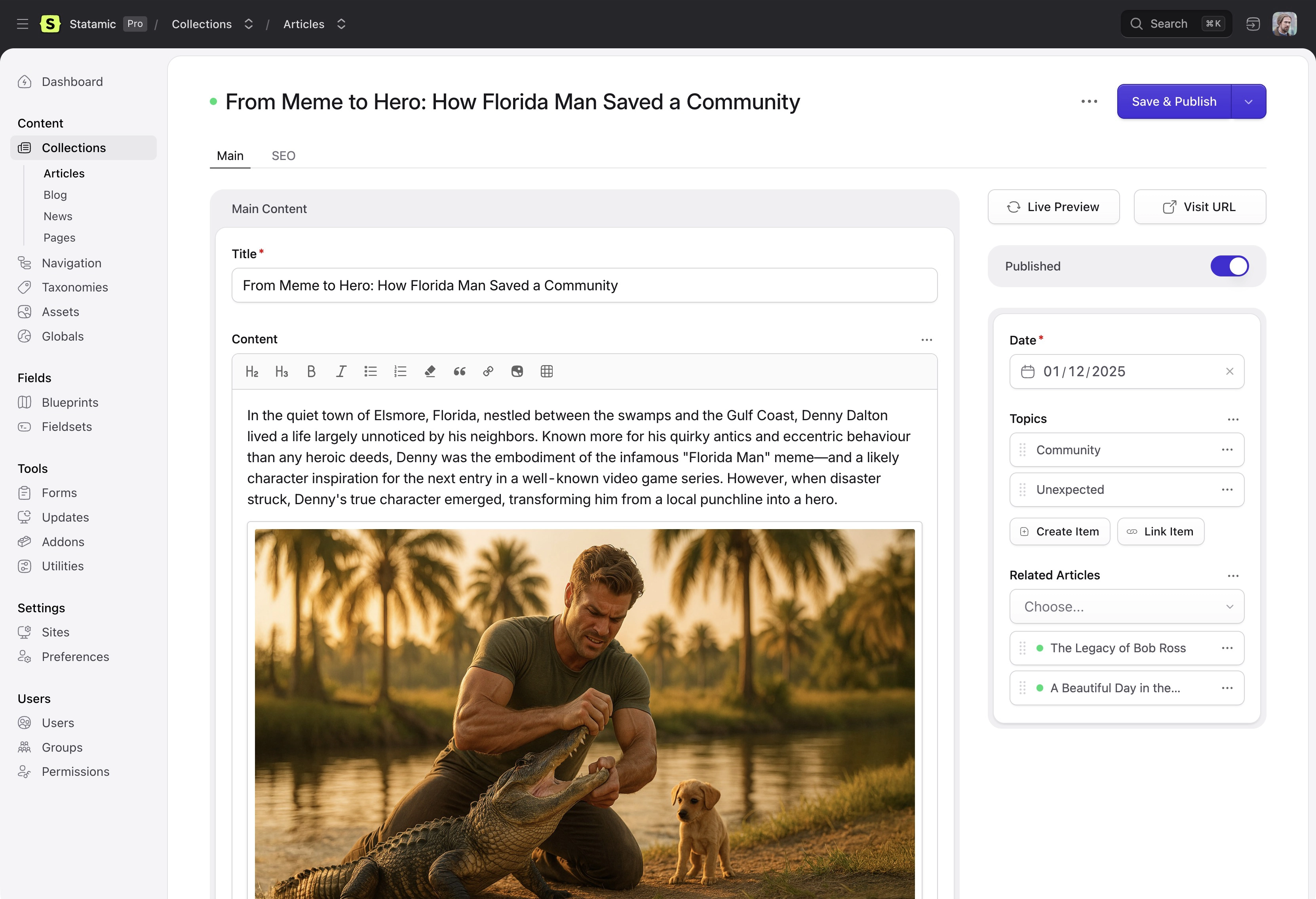
This redesign represents a fundamental shift in how the control panel is structured, extended, and will continue to evolve. It wasn't just a redesign for redesign's sake.
We got ourselves out of some dead end patterns.
One of the main things we wanted to solve with the redesign is to free us from some areas of the UI where we ran out of room to grow. Like, just literally there was no space left to put features, buttons, controls.
Here's just one example:
All of our listing tables in v5 used this pattern where when you click the checkbox for a row to perform bulk actions, those bulk action controls were absolutely positioned on top of the table header, which covered up the column names and made it near impossible to wrap a long list of actions to another row on smaller viewports.
This had the side effect of us not wanting to add new bulk actions because they had no space to live. This also made the Filter Bar unable to adapt responsively because of that same absolutely positioned bulk action toolbar. 👇
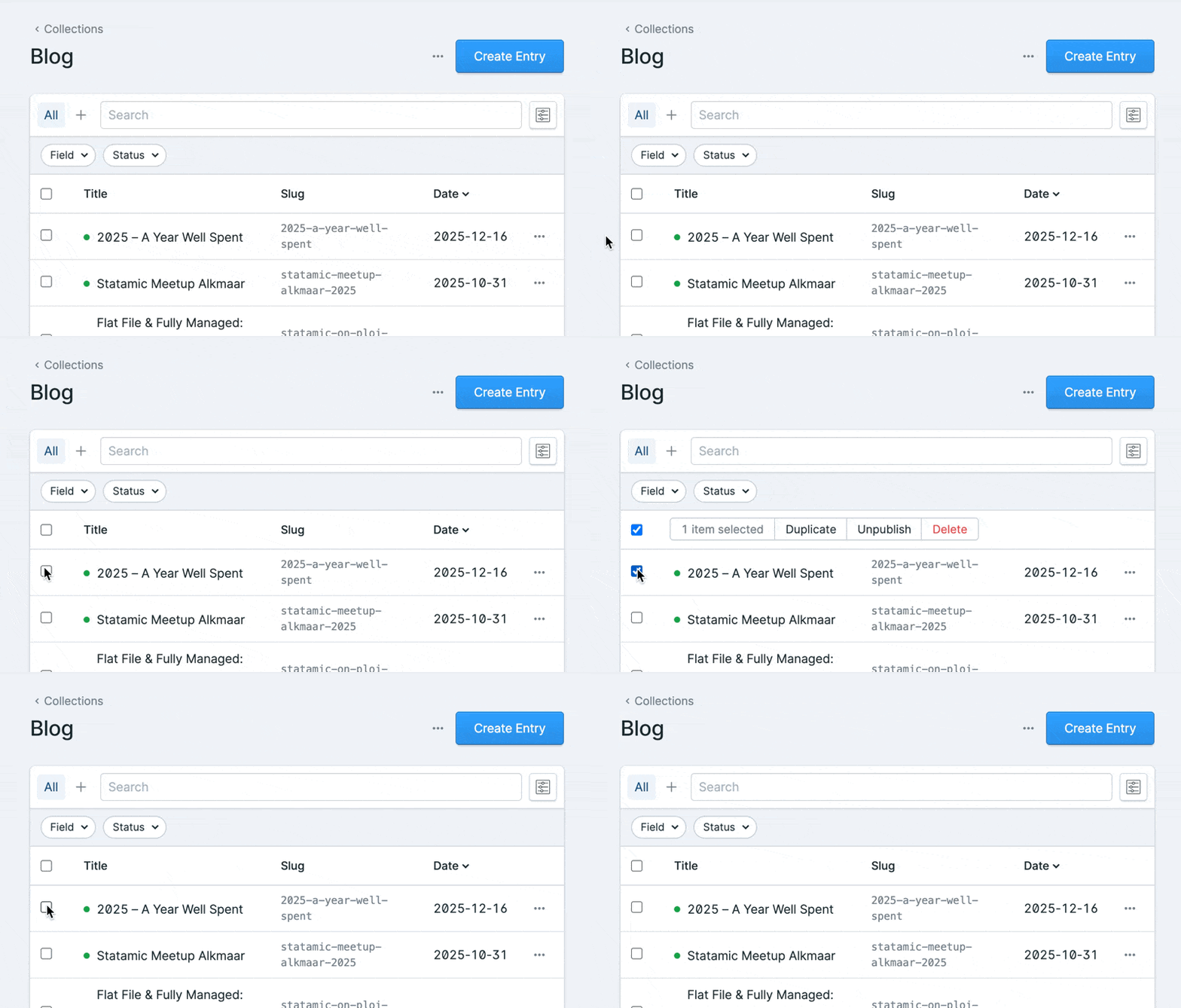
In v6 we popped out the Bulk Actions toolbar into an overlay which can now wrap as needed on its own, and the table design also stands alone in its own Card Panel, giving the filters area a chance to grow and shrink without needing to care about the table itself. 👇
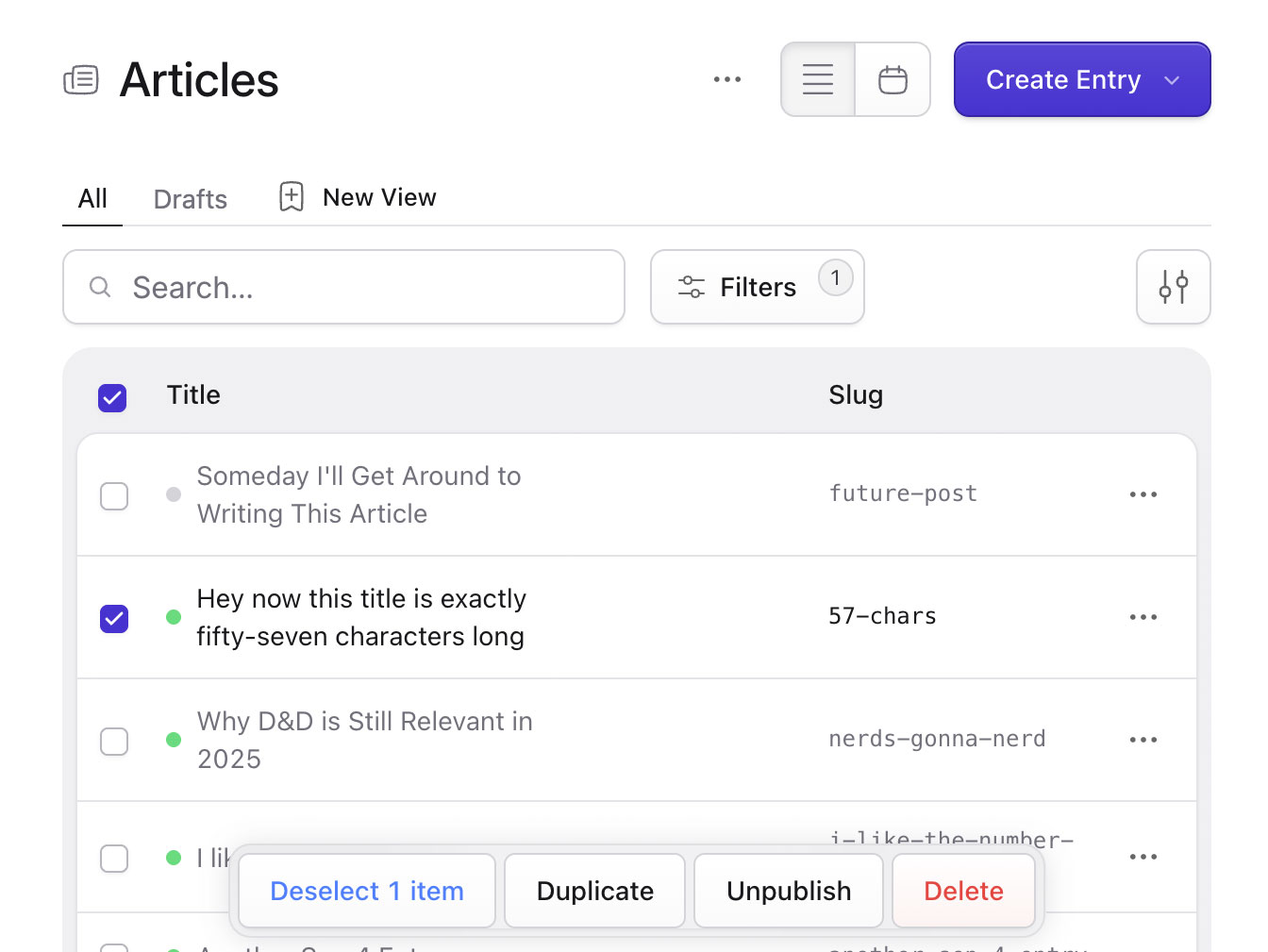
We had so many of these little pigeonholes throughout the UI and now they're all gone. Every single one of them. It's such a huge weight off our shoulders to know that the Control Panel can grow in any direction again — it gives us room to adapt and react to whatever the future brings.
We made it themeable
Any time you redesign something, there will be resistance. I'm the first person to complain about iOS/MacOS redesigns (I still refuse to switch to Tahoe), I totally get it. And this redesign was no exception — there was a bit of noise about our color and contrast choices and a few areas of the UI. We ruffled a few feathers, I guess you could say. Some feedback was preferential, while others were more universally valid and we worked through resolving those concerns without compromising the intent behind them.
In the new UI we opted for the default experience to be a bit more stark — a white content background by default (for example) compared to v5's gray. It's a bit more like Shadcn/Clerk/Laravel Cloud, and other — shall we say — "modern" UIs. I really like this look, it feels super fresh to me while still keeping everything pretty much right where it was before — positionally.
I just wanted to make sure we used this opportunity to keep Statamic from looking dated and not have people rule it out at first glance as old, abandonware. That first look experience is huge.
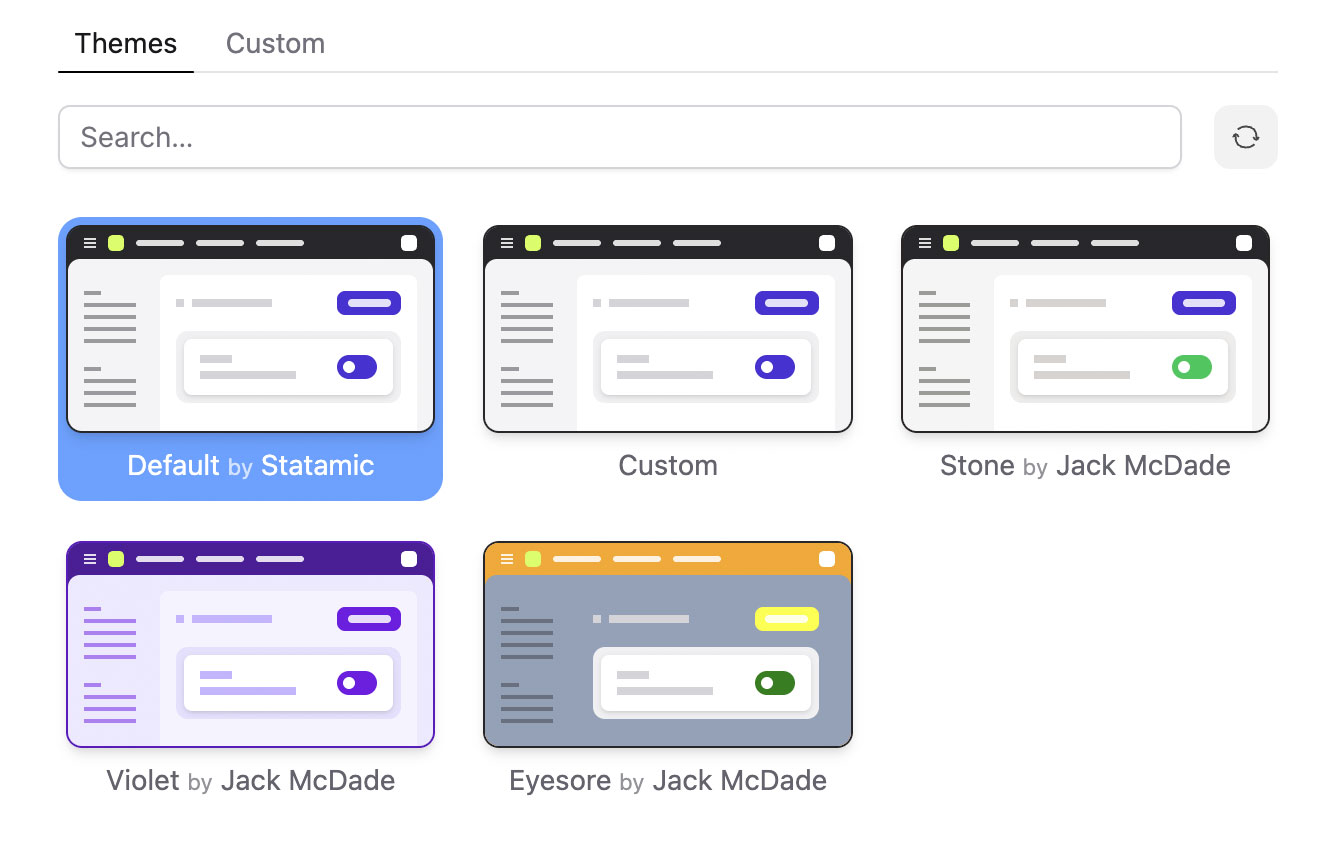
But some people really prefer a different contrast and/or color experience, and rather than push them away to a whole different CMS just because of a CSS value or two, we did the hard work and made the whole UI themeable with a dozen or so color variables you can control as you wish.
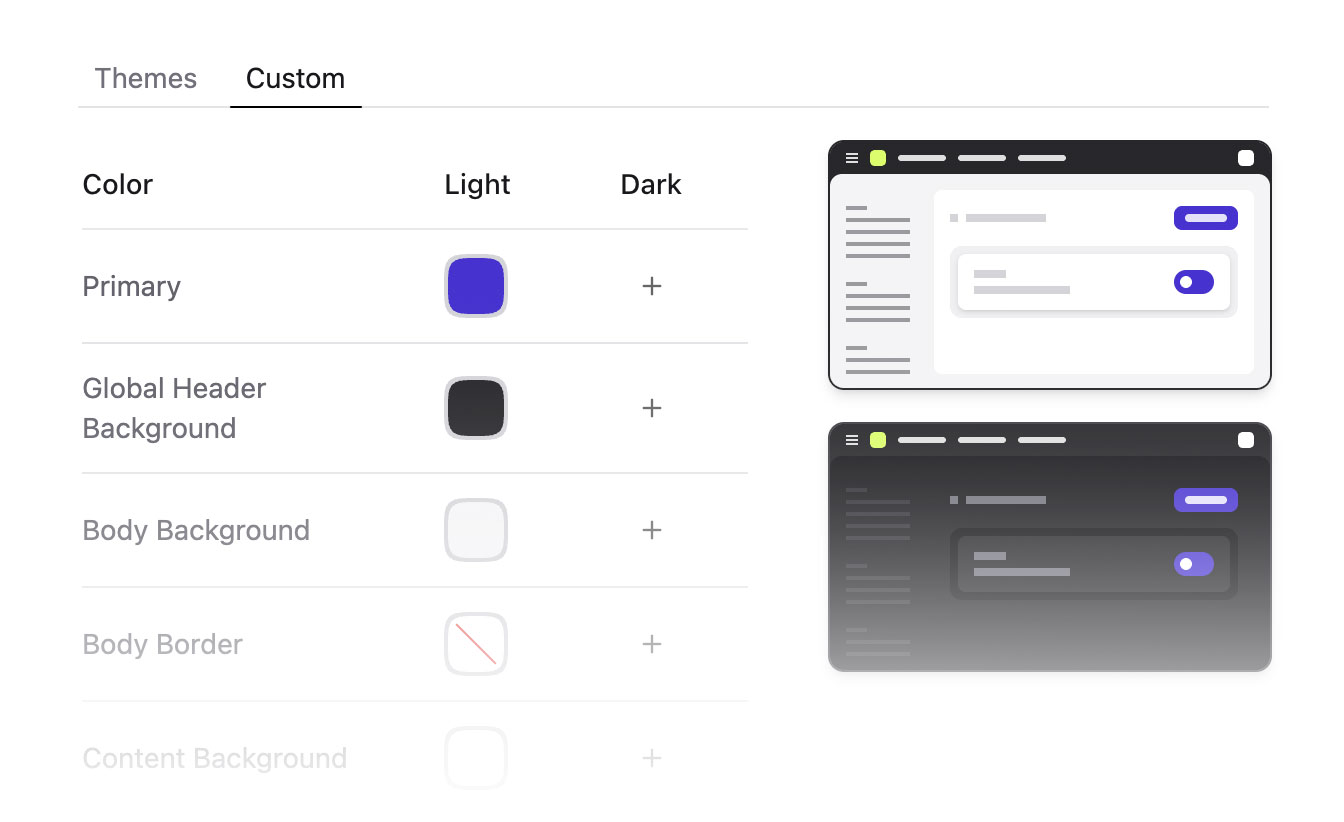
Now you can configure all the main global colors (header, background, sidebar, primary/accent/success, etc) to be just the way you like it, and the UI should (as much as is feasible) adapt to your choices with tinting, borders, overlays, etc and just look real tight and consistent. You could even just switch between Tailwind's different gray palettes (Stone, Zinc, Neutral, etc) with one click for an ever-so-slightly revised vibe.
Themes are stored as Preferences, which mean they can be set globally for the site and overridden on the role and user level.
You can even publish your theme to your statamic.com account and share it with the community.
Security for everyone, not just "the enterprise"
Security features are usually the first thing companies lock behind a "Contact Sales" button. We think that sucks. In Statamic 6, we’ve decided to level the playing field by bringing these high-end security standards directly into the core. Our goal is to make enterprise-grade protection the default for everyone—from solo bloggers to global agencies—without the need for additional setup, third-party overhead, or "enterprise" tax.
Two-Factor Authentication
The introduction of native Two-Factor Authentication is a major step in this direction. While 2FA has been possible through our third-party addon community, making it a first-class feature ensures that every site has a rock-solid, standardized path to secure user accounts. It supports TOTP apps like 1Password and Authy right out of the box, providing a seamless setup flow that feels like a natural part of the user experience.
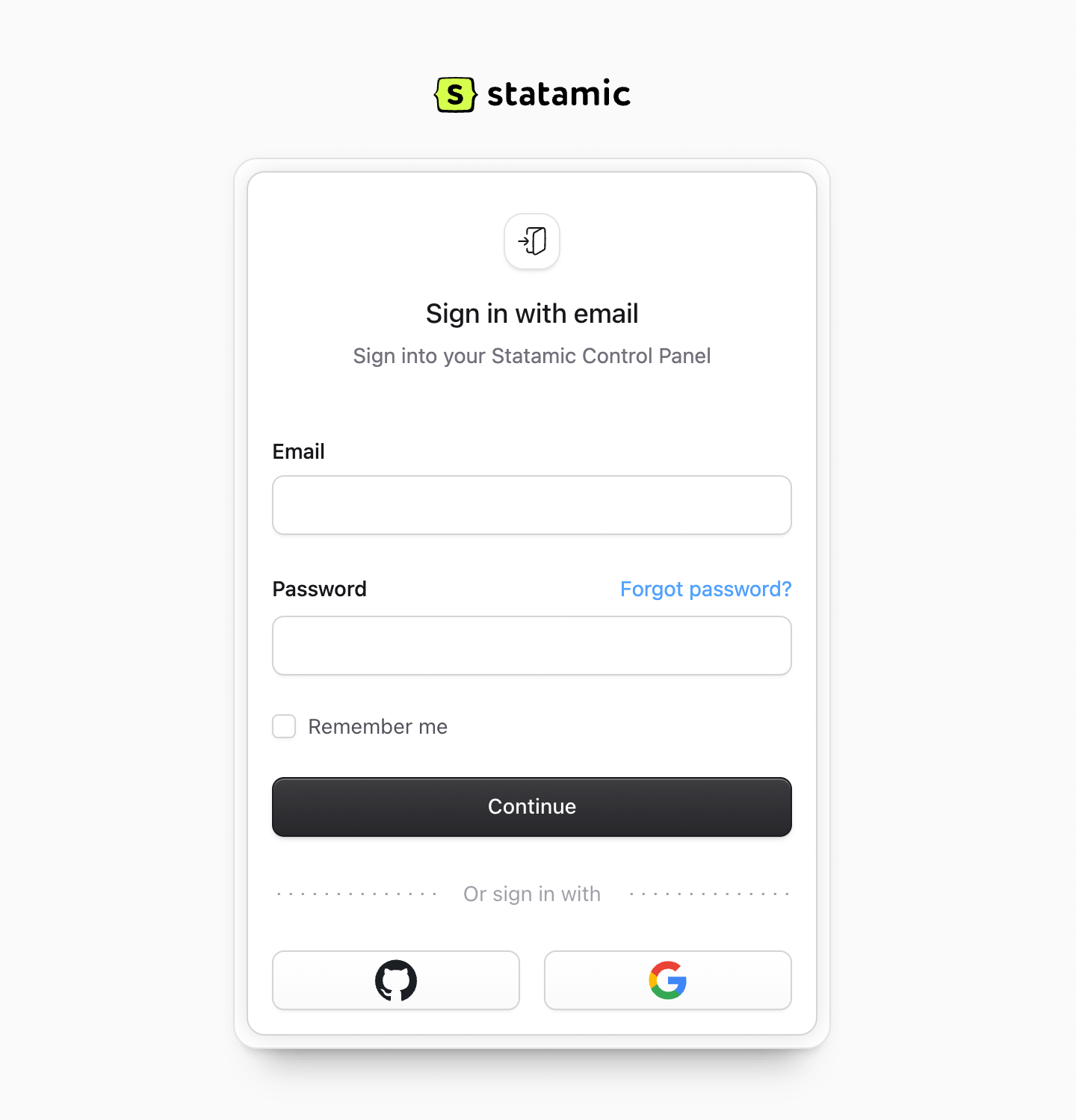
We’ve also brought Passkeys into the core, making passwordless authentication accessible to every project. Statamic 6 supports biometric login—like TouchID, FaceID, or hardware keys, so you can satisfy the needs of your organization or clients with whatever solution is best.
Security should also scale with how much damage you can do. We've introduced Elevated Sessions, which requires re-authentication before a user can perform high-stakes operations like changing system-level settings or managing users.
The real power of these features lies in their deep integration with the rest of the platform. Because they are native, you get a unified, polished interface where security doesn't feel like a separate layer you have to manage, but rather just another part of the tool you use every day.
Agencies can now breeze through security audits with a consolidated list of core-supported features, while smaller teams get world-class protection without the complexity. Everybody wins. We like it when that happens.
Oh so much more
Of course there's so much more to v6 than these big bucket features. We'll be unpacking all the rest of the new goodies with you in the new year.
Final Thoughts
This is what deliberate product work looks like to me. It’s not about shipping one big feature or hitting big marketing deadlines — it’s about aligning hundreds of decisions toward a clear, long-term direction.
This is why we took our time when we could have shipped earlier. Statamic 6 isn't about hitting a date — it was about hitting a standard. And we're ready for the next phase of our world domination plan. 😘
We now have the groundwork for faster iteration, more ambitious features, and a control panel that can grow without collapsing under its own weight.
Thanks for being part of the journey — I hope you're as excited and optimisic about 2026 as we all are here.
I hope you all have a very Merry Christmas and happy holidays! Slow down, spend time with the ones you love, and we'll see you in the new year.