The Newsroom → Releases → Nov 24th, 2026
Just shipped: Forms 2.0 and Forms Pro
Just shipped: Forms 2.0 and Forms Pro
Meet the new Statamic form builder and Forms Pro, our new add-on for multi-step forms with logic, charts, integrations, and more.
 Jack McDade
•
7 min read

Forms 2.0 is here, released in the oh-so-easy-to-remember Statamic version 6.44.0. It's jam-packed with new features and improved user experiences (which we'll get to in a moment), but that's not all. Today we’ve also launched Forms Pro, our official add-on for taking your forms to the next, next level with multi-page forms and branching logic, branded form pages, integrations with some of the most popular CRMs and email marketing tools, and response charts.
And before we get any further, I just want to assure you that the core Forms experience adds a whole heap of new features and takes away nothing. Forms Pro adds even more.
The "Client-Friendly Experience"
We had a particular use case in mind when we started working on this. You’re a developer who’s just handed a site over to a client, and a few weeks later they need a signup form for a workshop they just decided to run. They know exactly what they want to ask and where the data should go, and it's nothing like the previous forms you've set up for them.
We wanted them to be able to sit down and make the form without you, while still following the standards you've put in place for how forms should look and behave.
Before Forms 2.0, pulling this off took a lot of wangjangling and user training. Even then, it was still a very developer-centric task. Forms 2.0 makes this whole scenario a lot easier.
We put a lot of time into user research and testing, making sure our new form tools can handle just about anything anybody can reasonably dream up.
Building a form
Open the new builder and you’ll find the field picker on the left, with the form you’re working on in the middle. Drag a field into place and its settings open on the right, where you can change the label or set up validation while the question is still in front of you. The layout lets you work directly on the form, so you can see where a change fits as you make it.
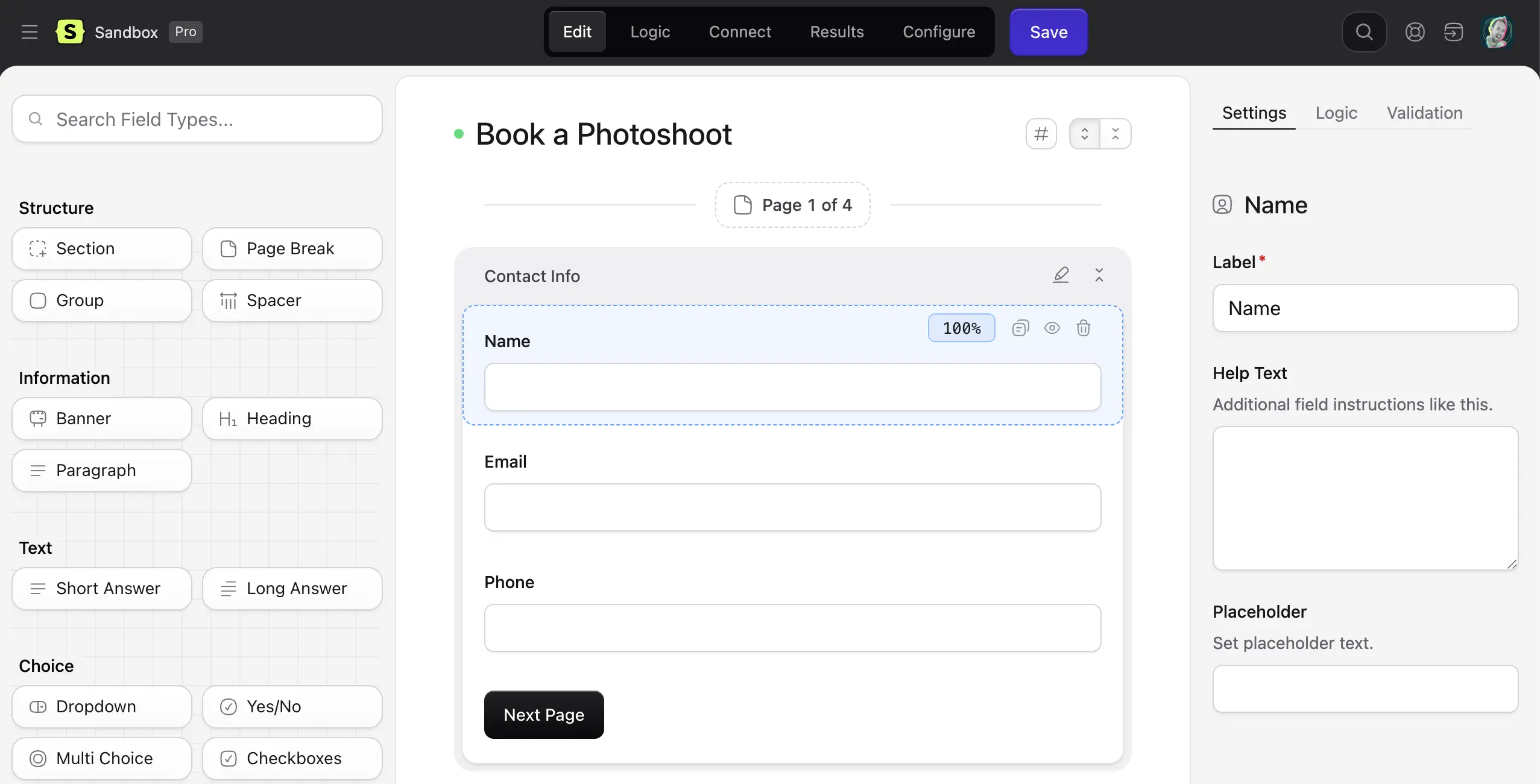
New Form Fieldtypes
We wanted clients to be able to pick a field based on what they’re asking for, with the right validation already in place. If you need an email address, the new Email field uses the right HTML input type and validates the address for you.
The new Address fieldtype in Forms Pro shows the right fields for the country someone selects. You can also set up autocomplete so they can choose their address as they type.
Image Choice lets you show an image for each option, opening up a whole world of possibilities. There are fields for phone numbers and star ratings. You can also let people rank their choices.
The Dictionary field even gives you ready-made lists for things like countries and time zones. And when there’s something you need to explain before you ask another question, you can add a heading and a paragraph right there in the form. Page building is now a natural part of the form experience.
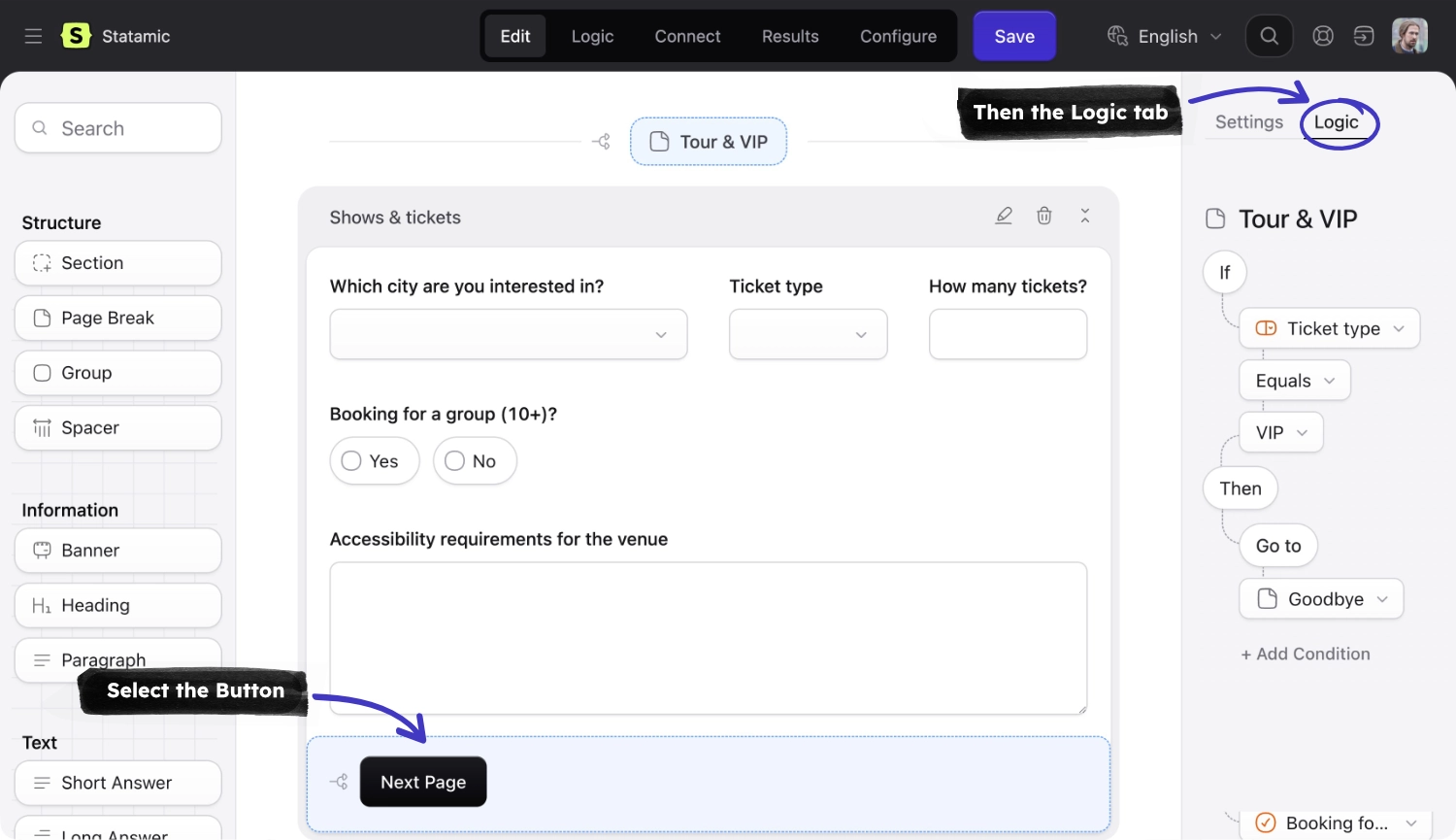
Forms support all sorts of new logic. You can show or hide fields based on a visitor’s answer. And when there are enough rules that you’ve forgotten where you put one, open the Logic tab to see them in a list or follow the connections in the new tree view.
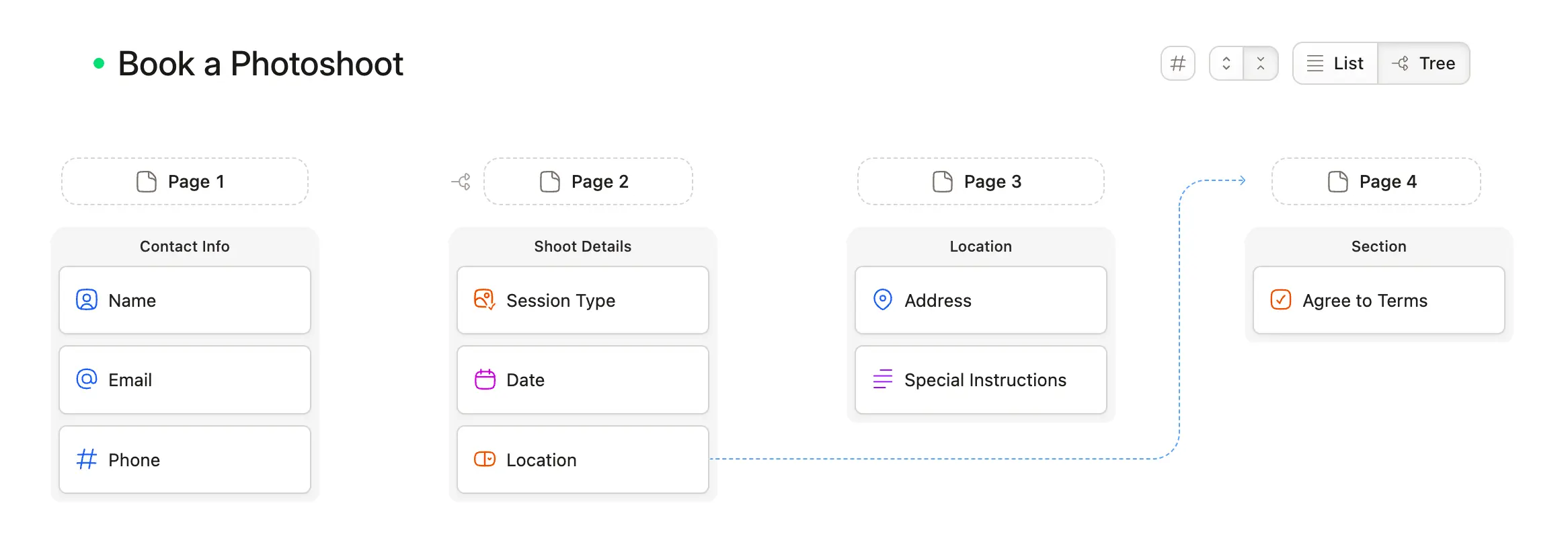
We want you or your clients to be able to come back to a form somebody else built six months ago and work out what it’s doing with ease.
If you’re building the front end yourself, Statamic can render the fields for you, and you can customize the view for each fieldtype in Antlers or Blade. You can make the form belong on the site you designed using your brand style and UI conventions, and the person building a brand-new form in the Control Panel never has to think about it. It'll Just Work™.
What happens when someone hits Submit?
Head over to the Connect tab and you can write (and preview) the confirmation email right there in the Control Panel. You can pull answers from the submission into the email. If there’s a message you only want to send for certain responses, you can set a condition for it. There’s also a built-in webhook so submission data can fire off to an endpoint of your choosing.
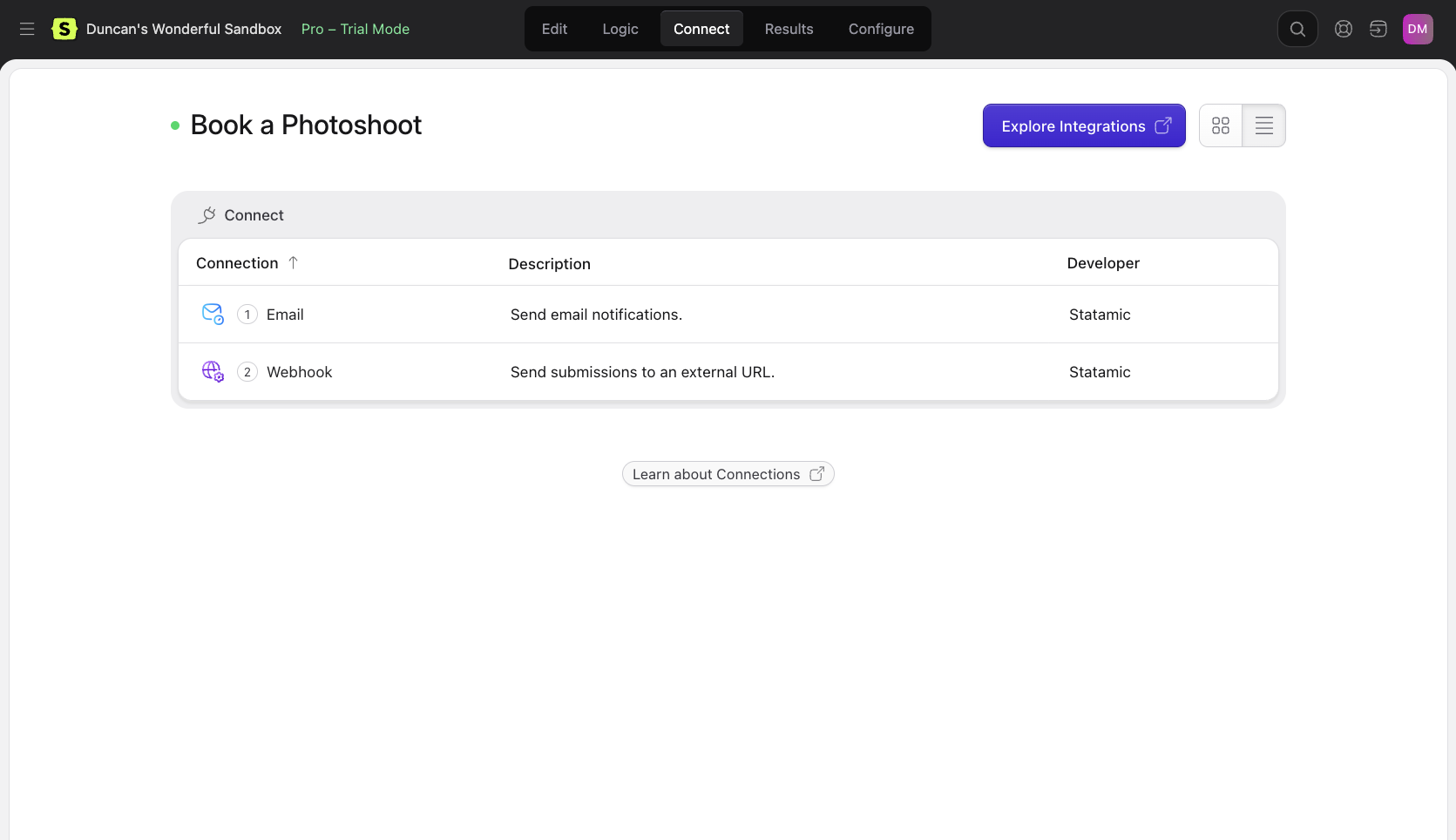
With Forms Pro, you can set up a whole host of third-party connections from that same screen. Hook a form up to Google Sheets and you'll have a shareable spreadsheet that gets a new row with each submission.
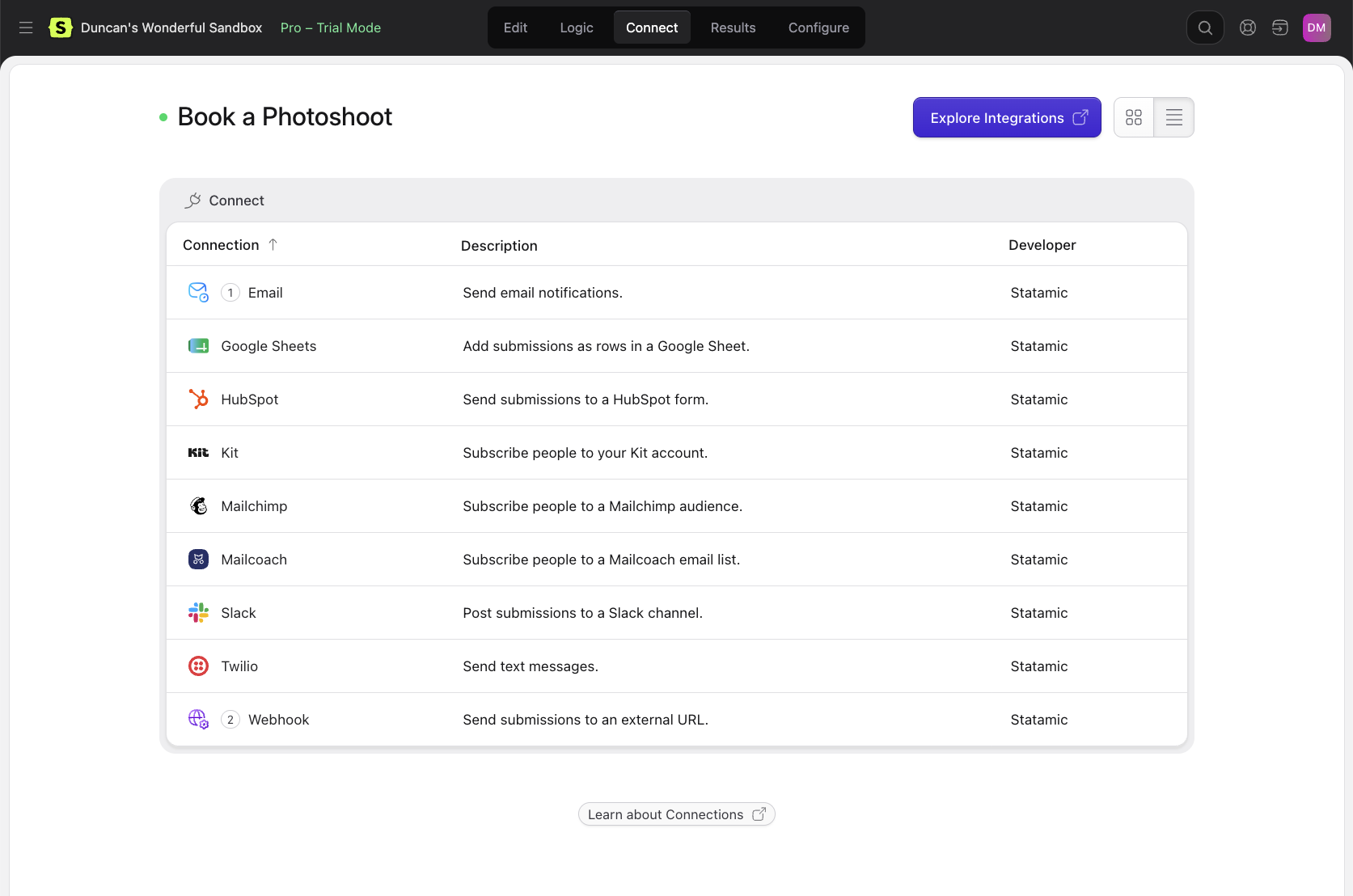
Connect your form to HubSpot and let the workflows you have in place do all the work from there. There are connections for Kit, Mailchimp, and Mailcoach if you’re collecting email signups, and you can send a Slack notification or a text via Twilio when that makes more sense. See all the Forms Pro connections.
There are a few details in the form settings that’ll come in handy once you put it out into the world. If you’ve only got twenty seats, you can stop accepting submissions when they’re filled or close registration on a date you choose. You can require a login for a form that’s meant for members, or turn off storage if the submissions only need to go to another system.
Multi-Page Forms
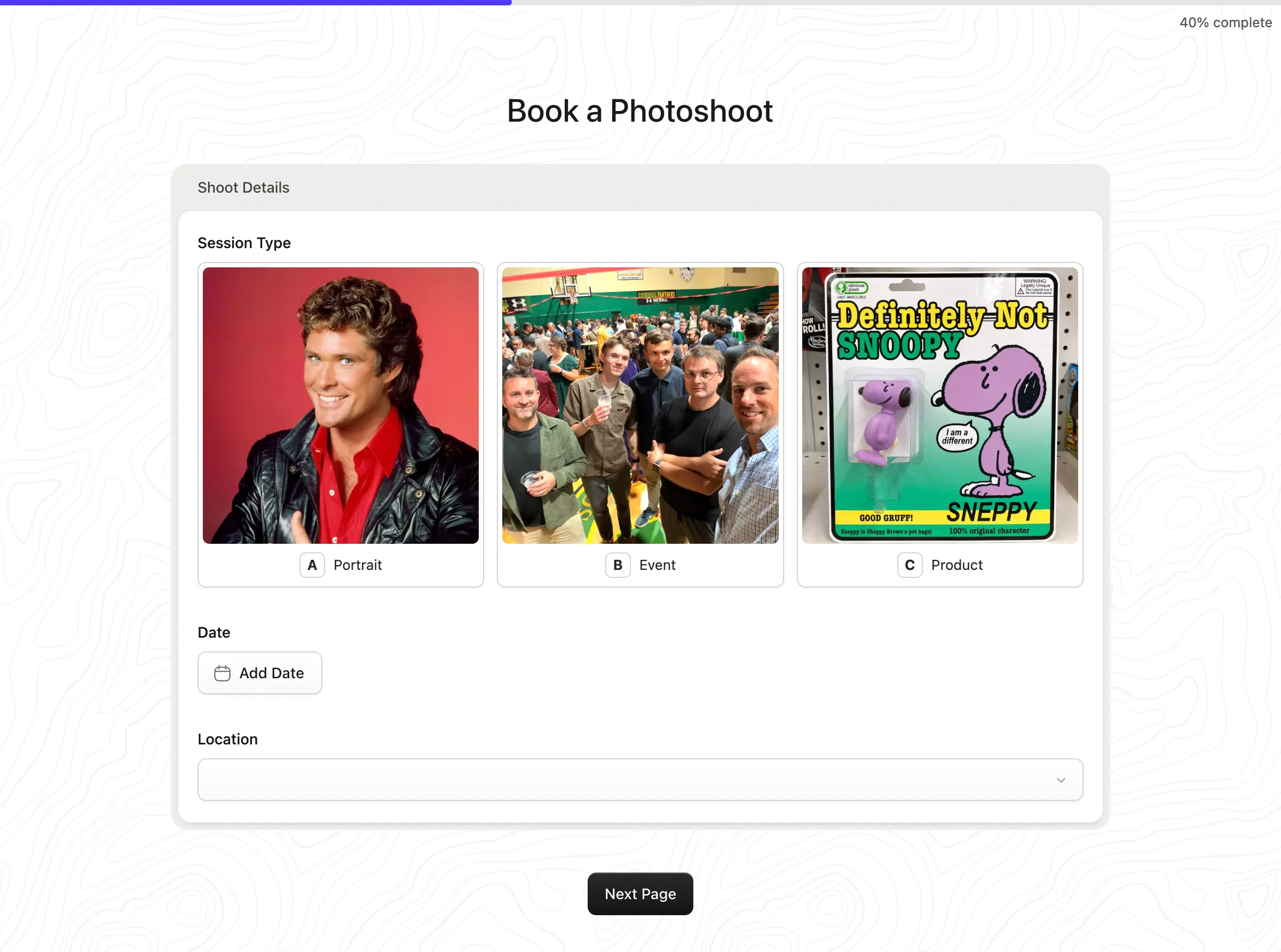
With Forms Pro, you can break the form into pages and skip people ahead based on their answers. Statamic saves their progress between pages, so they can pick up where they left off while their session is still active. If you’re using Automagic Forms, visitors also get a progress bar.
Automagic Forms and URLs
Sometimes a form is the whole reason you’re sending someone a link. That’s where Automagic Forms comes in. Turn it on and Statamic gives the form its own URL on your site, much like you'd get with Typeform or Jotform. You can make the page your own by adding a logo and choosing a brand color and background.
We have a feeling this one feature alone is about to save a lot of people a lot of money on SaaS subscriptions they no longer need.
The Results (and Charts) View
The core Results view makes it easier to find submissions. You can filter them by status or, if you’re on multisite, by the site they came from.
Enable Forms Pro and you get a brand-new charts view with bar and pie charts, plus insights like average star ratings, so you can see what people are telling you at a glance.

Forms Pro Pricing
Just to reiterate, a lot of the new goodness here is part of the core Forms experience. Here’s what Forms Pro adds:
- Automagic Forms and URLs
- Multi-page forms
- Charts and insights
- Deeper integrations beyond webhooks, including Mailchimp and HubSpot
- Address autocomplete
Forms Pro is $99 per site up front, with annual renewals of $49 for continued updates and support. Just like with Statamic Pro, you own the license forever. If you decide not to renew, you can continue to use whatever version you're on for as long as you want.
You can try Forms Pro for free on a local site and pick up the license when you’re ready to go live.
Oh, and one more cool thing about Forms Pro? You can use it on the free Statamic Core version and it will remove the one-form limit, letting you spin up dedicated sites for forms at a fraction of the price of Statamic Pro. I'm sure that'll help somebody out there. 🫶
There's more!
There’s plenty more under the hood, including little details we hope will delight you. So go check out the Forms docs and Forms Pro docs, and pick up your Forms Pro license today.
We have a pile more Forms features in progress, so stay tuned!