
The Newsroom → Releases → Oct 27th, 2026
The Little Things Add Up
The Little Things Add Up
October brings smoother asset management, Live Preview before the first save, keyboard reordering, and a faster Control Panel.
 Jack McDade
•
4 min read
Jack McDade
•
4 min read

We've been paying a lot of attention to the little things this month. Okay, all months. But this month a lot of them have pretty pictures, so I'm here to show off some of the new things added to Statamic in October that you may have missed.
Here are a few favorites from Statamic 6.36 through 6.38.
Move assets around intuitively
Select a handful of images, grab one, and drag the whole selection into a folder. A little count badge follows your cursor so you know how many files you're taking along.
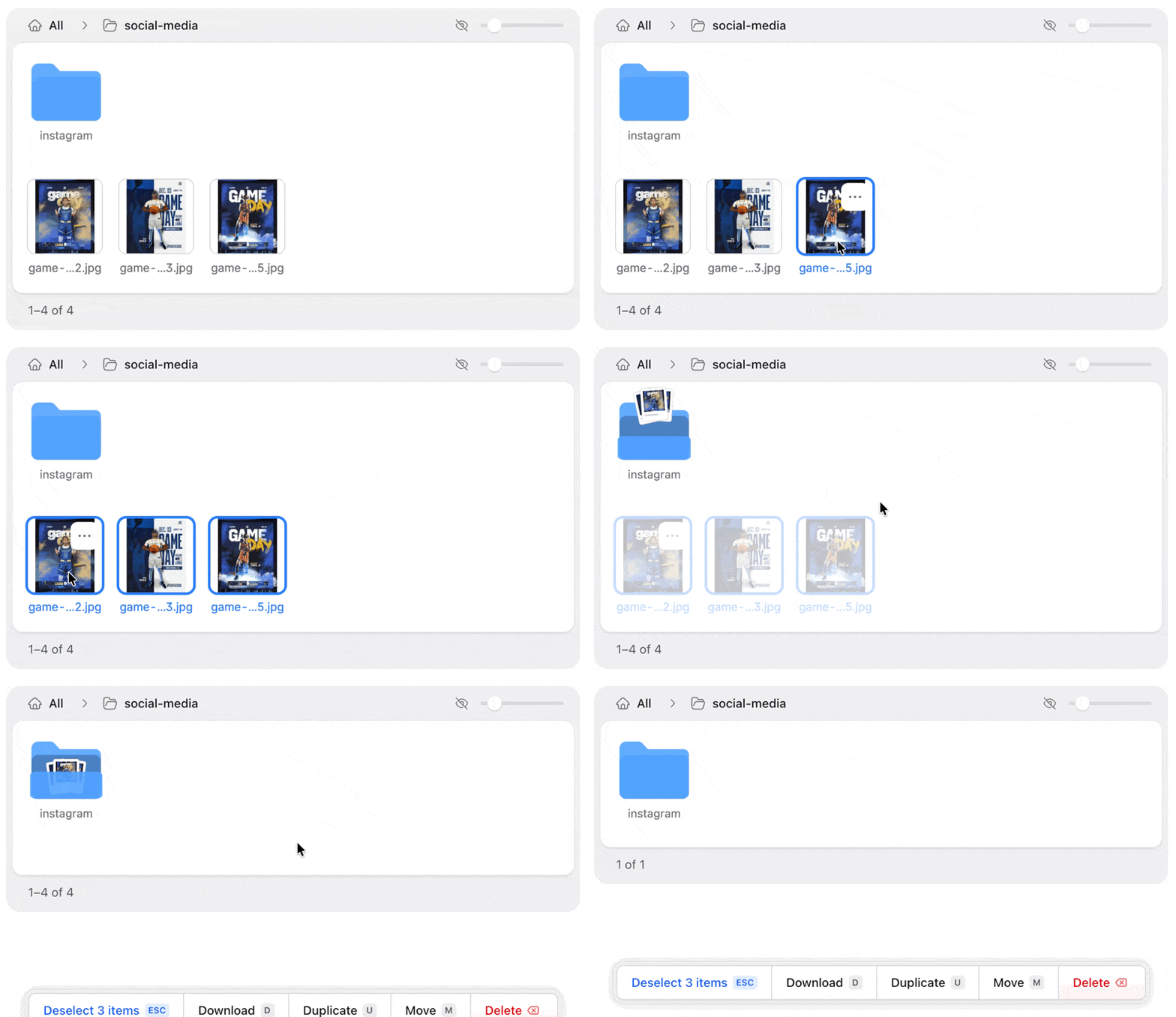
Want to move something back up a level? The breadcrumbs above the asset browser are now drop targets, too. Drag an asset or folder onto a parent folder, or all the way back to All.
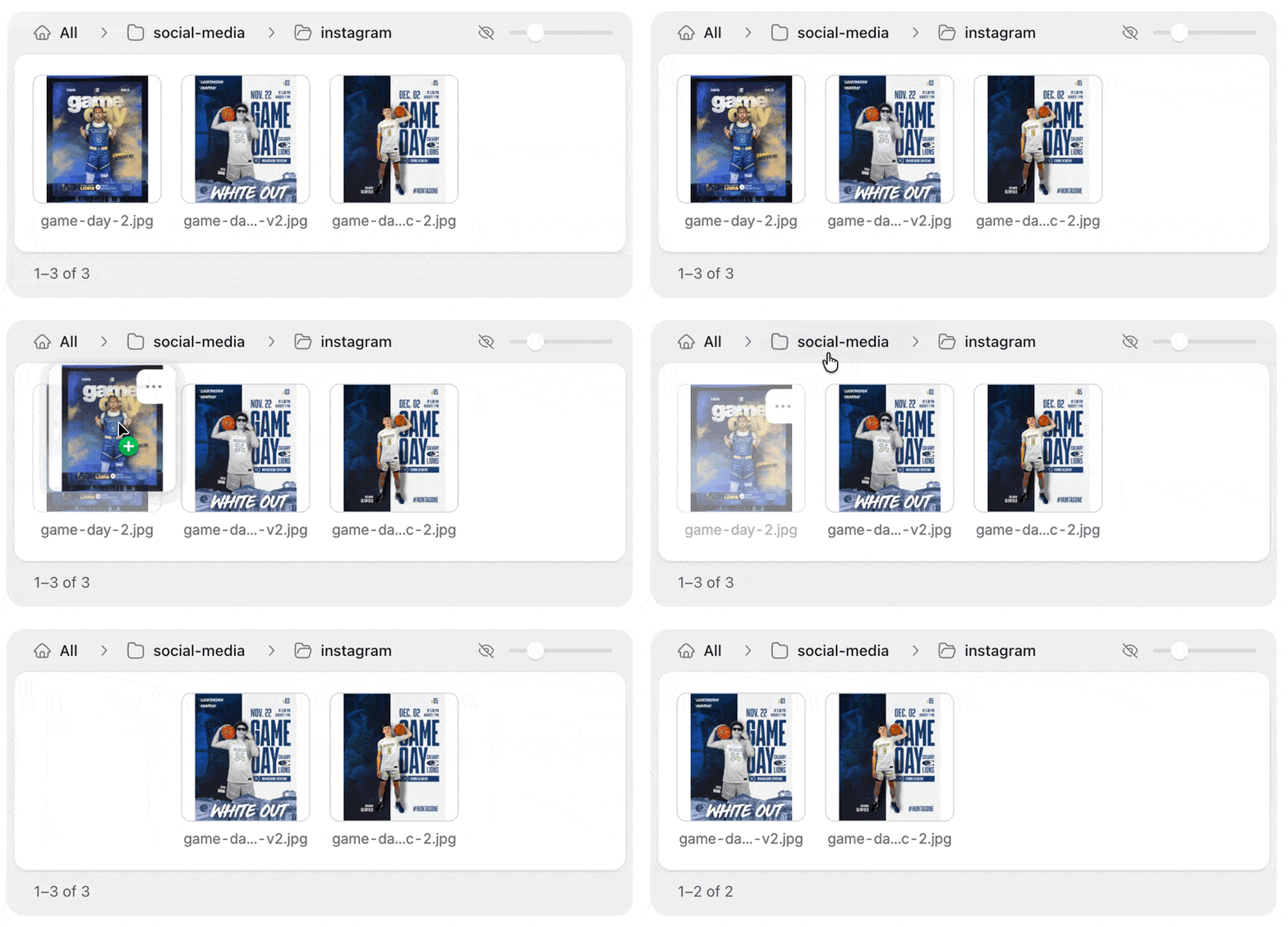
There's some lovely attention to detail here — we wanted the feedback to spark a little joy. Like the good old days of software.
Jay George and I put a lot of care into this one. Organizing a folder full of vacation photos is an oddly satisfying way to discover it.
Preview before your first save
Live Preview is now available while you're creating an entry, before you've saved it for the first time.
Start writing, open Live Preview, and see your work in the actual page layout as you go. Try a shorter heading, swap the hero image, see whether that paragraph is doing quite as much work as you thought it was.
That feedback is useful from the moment you start a page, especially when you're building a landing page around a particular layout. Thanks to matsantosz for bringing it to the create screen.
Keep your hands on the keyboard
You can now reorder Replicator sets and Grid rows with your keyboard, in both table and stacked Grid layouts.
Tab to a drag handle and press Space or Enter to start moving. Use the up and down arrows to change its position, then press Enter when you're happy. You can also start from the item's Move menu action.
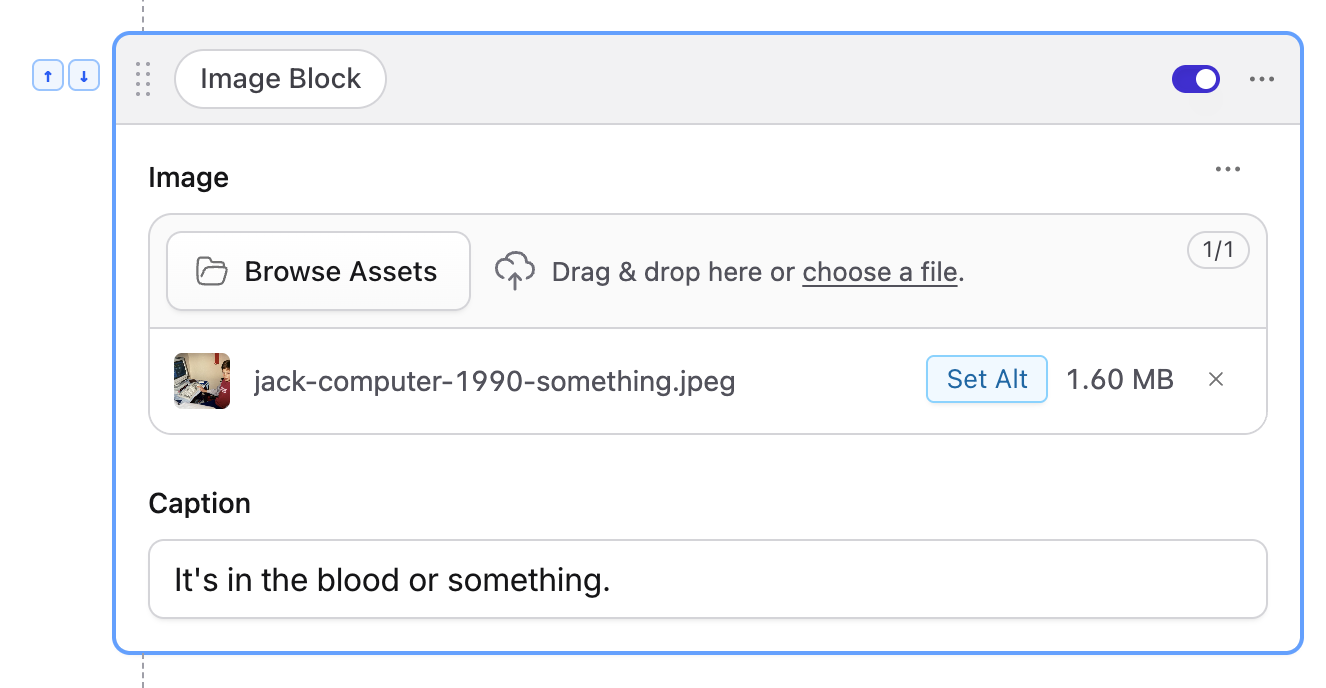
The interface shows which item you're moving, and screen readers announce the instructions and its position as you go. It's a useful shortcut for keyboard users and gives people who can't use a mouse a way to do the same work.
This is another Jay contribution, and part of the accessibility work you'll see throughout October's releases.
More room for your content
Some pages have a lot going on: long Bard fields, nested sets, and blueprints with enough sections to give the scroll wheel a workout.
Oli helped us reduce the work the Control Panel does on large entries, including unnecessary style recalculations and repeatedly checking an entire blueprint for changes.
They also improved how nested Bard editors handle updates, so editors whose content hasn't changed can stay put. Erin Dalzell contributed related work to preserve Bard's nested fields across saves, helping expanded sets keep their state while you work.
You'll benefit most on more complicated pages. We're continuing to work on performance here, and contributions based on real sites have been particularly helpful in finding where to focus.
Select every entry
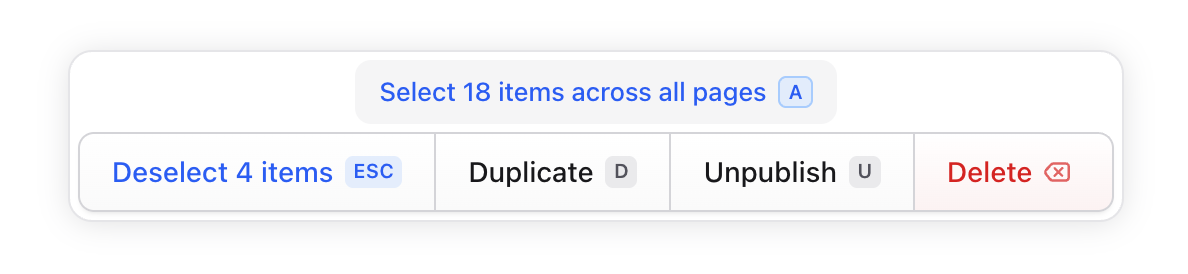
Previously, "Select All" would only select the visible entries in a listing. Now, after selecting them, the toolbar lets you select every matching entry across all pages. Press A as a keyboard shortcut.
Another Jay one.
Everything here is in Statamic 6.38.0. If you're ready to update, run:
composer update statamic/cmsYou can find everything else in the release notes. And if there's an everyday interaction you'd love us to give some attention, tell us about it. We spend a lot of time in this Control Panel too, and we want to hear what would make your next page easier to finish. 💜