

Connect your Statamic site to the cookie consent platform you already pay for. Choose it in the Control Panel, paste its ID, and Cookie Connect loads it first in every page's <head>, sets up Google Consent Mode v2 in the right order, and holds back anything that needs consent until the visitor allows it. Switch platform later without touching a template.
It works with Cookiebot, Usercentrics, OneTrust, CookieYes, iubenda, Termly, CookieFirst and Cookie-Script, or any other platform through Custom. It doesn't draw a banner of its own: your platform does that.
| Choose the platform, paste its ID | Scripts held back until consent | Before and after consent |
|---|---|---|
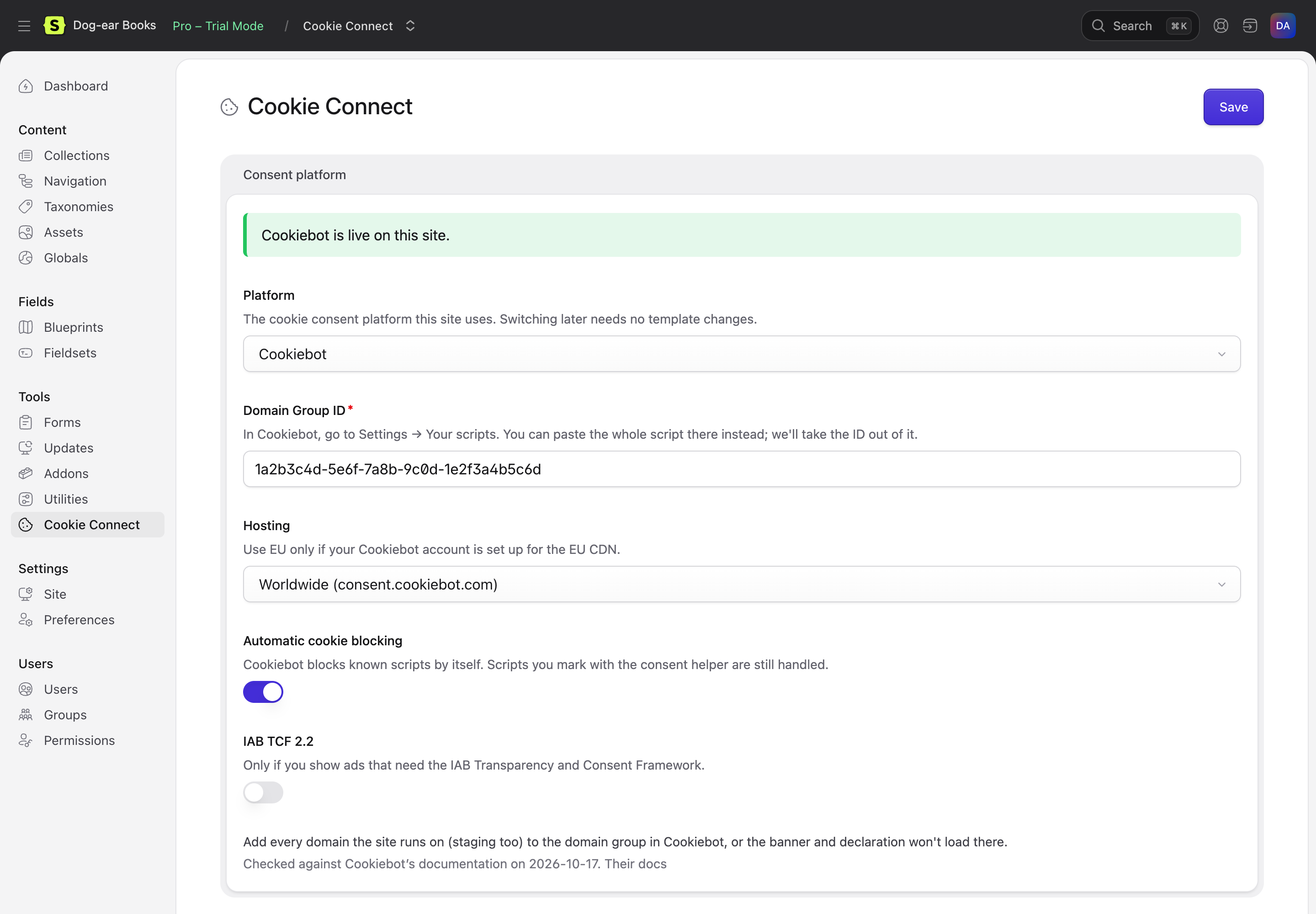 |
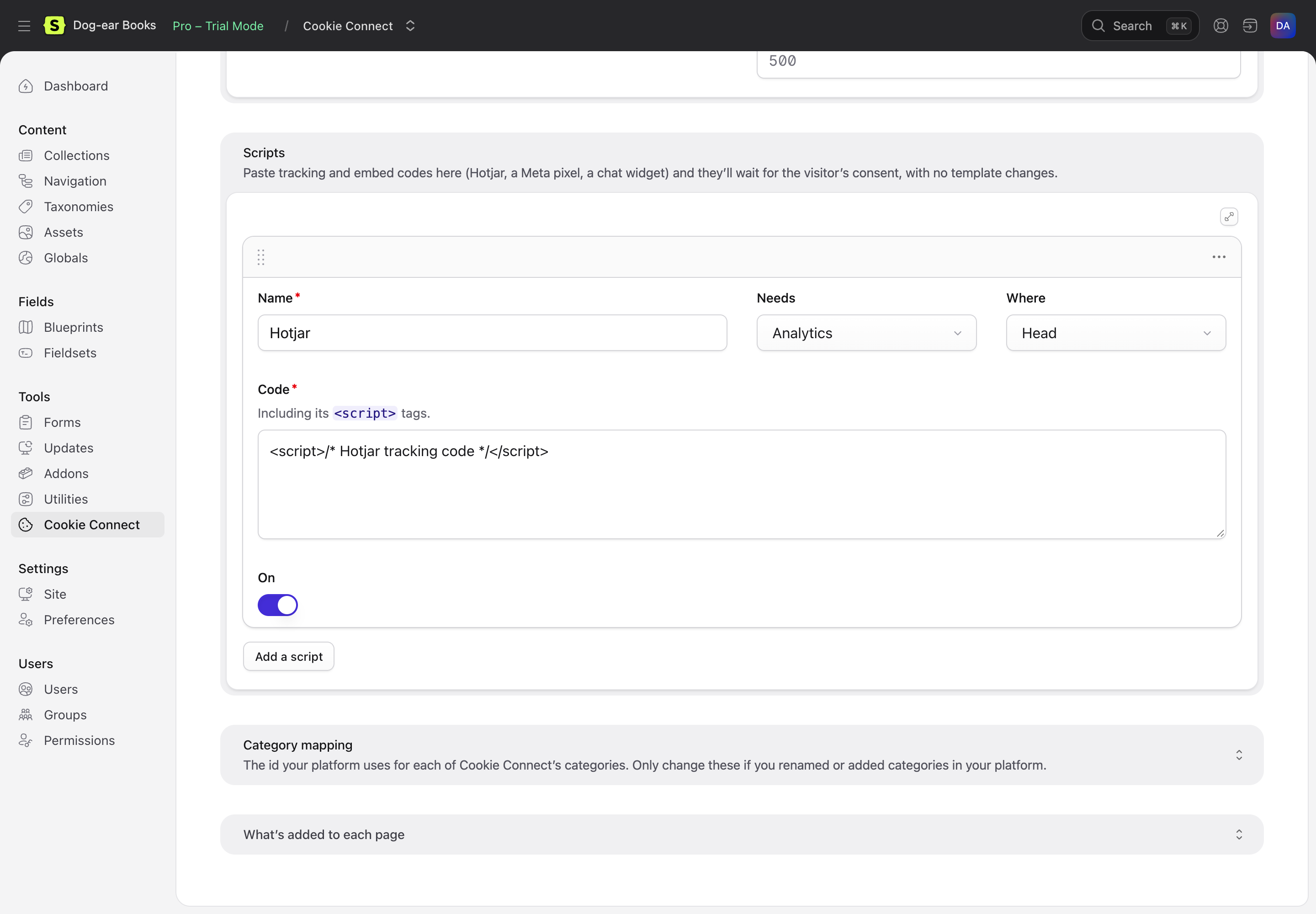 |
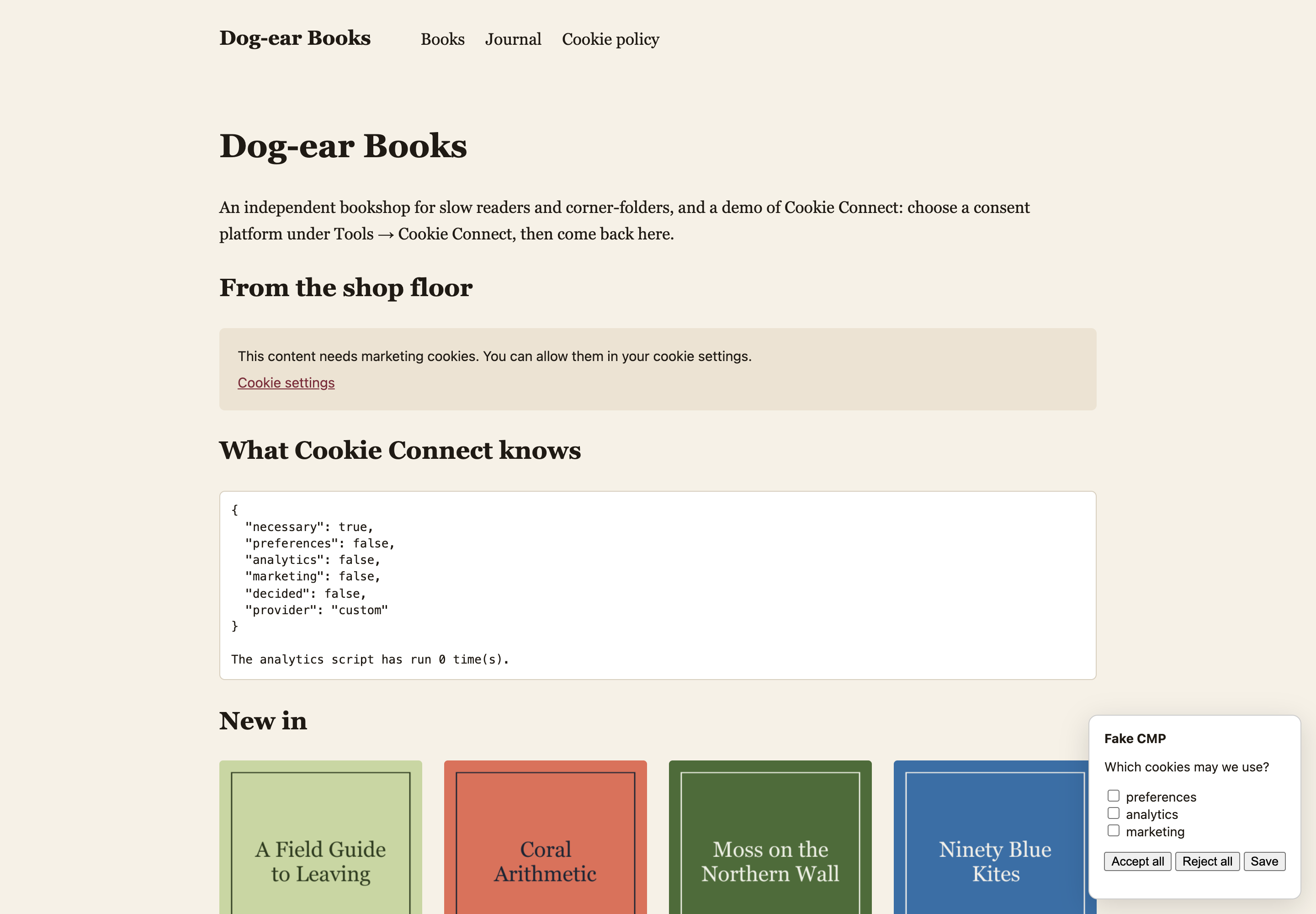 |
The screenshots are from Dog-ear Books, a made-up bookshop (see the demo). Its banner is a pretend consent platform for trying Cookie Connect without an account; on your site, it's your platform's own banner.
Features
- Paste an ID, done. Pick the platform, paste the ID or the whole snippet your platform gives you (Cookie Connect takes the ID out of it), save. Nothing to add to your templates: it puts itself into every page.
- Google Consent Mode v2, in the right order. Consent Mode defaults (denied until the visitor says yes) first, then your consent platform, then Google Tag Manager or Google Analytics. Where the platform sets the defaults itself (iubenda, Termly), Cookie Connect doesn't set them twice. Basic or advanced mode, everywhere or only in the EEA, UK and Switzerland.
- One way to mark scripts, for every platform.
{{ consent:analytics }}…{{ /consent:analytics }}(or<s:consent:analytics>and@consentin Blade) prints Cookiebot'sdata-cookieconsent, OneTrust'soptanon-category-…classes, Termly'sdata-categoriesand so on, whichever platform the site uses. Four categories: necessary, preferences, analytics, marketing. - Scripts without template changes. Paste Hotjar, a Meta pixel or a chat widget into the Control Panel, say what it needs, and it waits for consent.
- Cookie settings links and the cookie declaration. Any link to
#cookie-settings(in a navigation, a footer, a Bard field) reopens the platform's preferences. Type{cookie_declaration}into a page and your platform's cookie list appears there. - One JavaScript API.
CookieConnect.has('analytics'),CookieConnect.on('change', …)and acookieconnect:changeevent, the same whichever platform fired it. - Each site its own platform on multisite, or fixed in
config/cookie-connect.phpwith environment variables. - Off on dev and staging. The platform only loads in the environments you choose. Elsewhere, content that needs consent stays blocked (or runs, to test your tags).
- Plays well with others. If another addon or your layout already adds Google Tag Manager, Cookie Connect doesn't add it again (when it adds itself to pages). Works with half and full static caching, and with a Content Security Policy (nonces or hashes).
Requirements
Statamic 6.35 or later, PHP 8.3 or later, and an account with a cookie consent platform.
Installation
composer require 1994/cookie-connect-statamicThen open Tools → Cookie Connect, choose your platform and paste its ID. By default it only loads in the production environment: change that under Tools → Addons → Cookie Connect → Settings.
Documentation
Start with the documentation's contents.
Support
Email hello@1994.co.uk, or open an issue on GitHub. Questions about your consent platform's own settings (its banner, its cookie scan) are best asked of the platform.