
A Statamic 6 addon for automatic keyword-based internal linking in configured source collections, such as blog posts and project overview content.
Works at render time via an Antlers modifier. Uses a native Statamic internal_links collection as storage for keyword → entry mappings. Supports per-locale keywords in a single entry — no multisite propagation required.
Requirements
- PHP 8.2+
- Laravel 11+
- Statamic 6+
Installation
composer require 5k18a/blog-internal-linksphp artisan internal-links:installThe install command:
- Publishes
config/internal-links.php - Creates
content/collections/internal_links.yaml - Publishes the blueprint to
resources/blueprints/collections/internal_links/ - Auto-detects your blog collection by scanning collection handles for keywords like
blog,post,articles,news - On multisite installs, asks which site you use to manage content in the CP
- Writes detected values into
config/internal-links.phpusingcollectionsas the canonical source-collection key andblog_collectionas a legacy alias - Runs
php artisan statamic:stache:refresh
Manual install (alternative)
composer require 5k18a/blog-internal-linksphp artisan vendor:publish --tag=internal-links-configphp artisan vendor:publish --tag=internal-links-collectionphp artisan vendor:publish --tag=internal-links-blueprintsphp artisan statamic:stache:refreshConfiguration
After install, review config/internal-links.php:
return [ 'collections' => ['blog', 'projects'], // source collections where the modifier may run 'blog_collection' => 'blog', // legacy fallback used only when collections is null/empty 'admin_site' => 'en', // site used to manage internal_links in CP];Use collections for new installs. Existing installs that only have blog_collection continue to work because the addon falls back to that key when collections is null, empty, or not a non-empty array.
Usage
Add the modifier inside your Antlers template, within the fields that should receive automatic links.
Blog Bard field example:
{{ content }} {{ if type == "quote_section" }} {{-- handle quote --}} {{ else }} {{ text | apply_internal_links }} {{ /if }}{{ /content }}The modifier also works on any string or HTML field:
{{ free_text_content | apply_internal_links }}{{ wysiwyg_html | apply_internal_links }}{{ overview_section:overvie | apply_internal_links }}Managing Internal Links
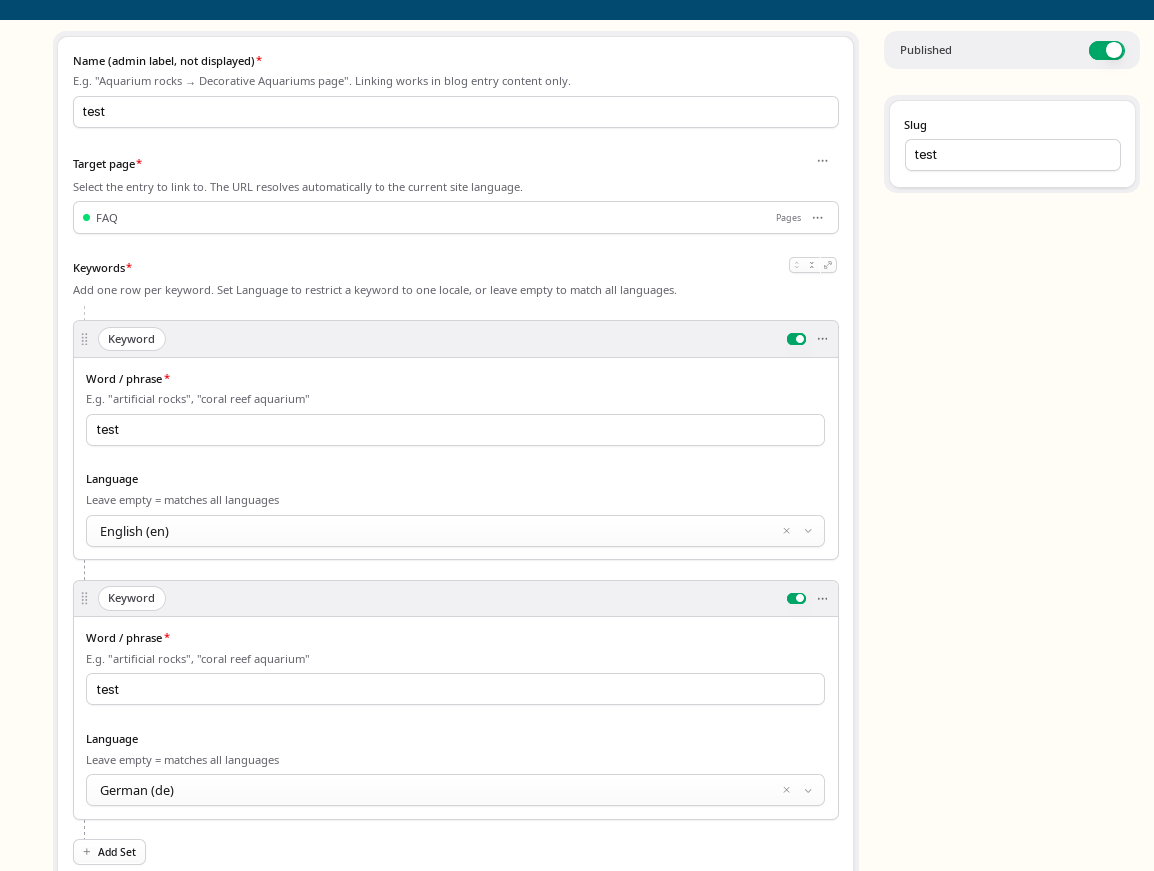
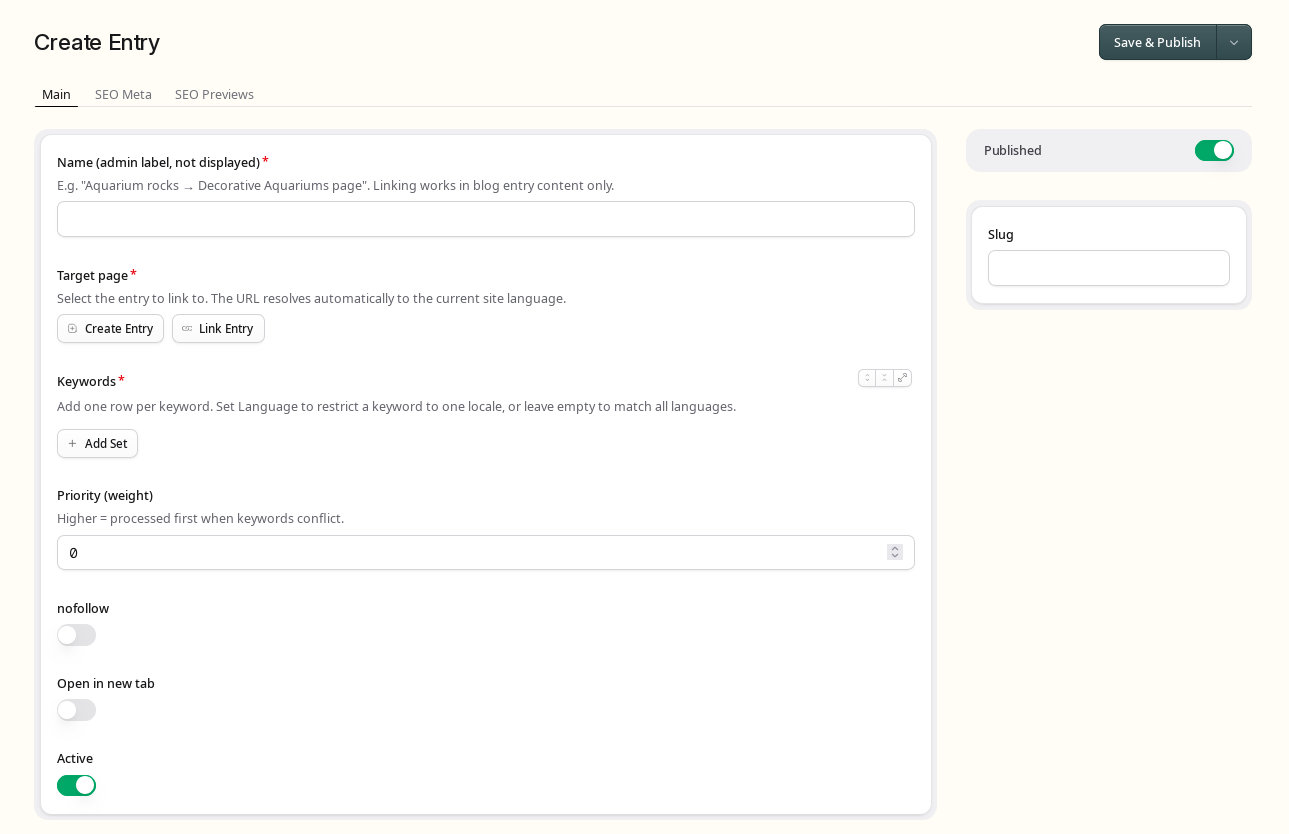
Go to CP → Collections → Blog Internal Linking and create one entry per target page.
Each keyword row in the replicator has two fields:
- Word / phrase — the text to match (case-insensitive). You can enter several variants in one field separated by commas, e.g.
sztuczne skały, sztucznych skał, sztucznymi skałami— useful for inflected languages. Variants are trimmed, empty ones are ignored, and a literal comma cannot be part of a keyword. - Language — optional locale code (
en,de,fr, …). Leave empty to apply to all languages. When a row has several comma-separated variants, the language applies to all of them.
Example configuration for one entry:
| Keyword | Language |
|---|---|
| sztuczne skały | pl |
| artificial rocks | en |
| Kunstfelsen | de |
| roches artificielles | (empty — all) |
The modifier automatically:
- Filters keywords for the current site locale
- Resolves the target entry URL to the correct language version via Statamic's native multisite URL resolution
Behaviour
- Only active (
enabled: true) entries from theinternal_linkscollection are processed. - The modifier only runs on entries belonging to the configured source
collections— all other entries are skipped silently. Ifcollectionsis null, empty, or not a non-empty array, the legacyblog_collectionvalue is used instead. - The target URL resolves to the current site's language automatically.
- Existing links, headings, figures, images, iframes, and WordPress embed comments are protected from replacement.
- Matching is case-insensitive and respects Unicode word boundaries.
- Higher
weightmeans earlier processing when keywords conflict. - Comma-separated variants: a keyword row may hold several variants; they are tried in order and the first one that matches wins for that entry.
- Deduplication: each target URL is linked at most once per page request. After any variant creates a link, the whole internal-link entry is done for that page.
Blueprint Fields
target_entry— entries picker (pages, services, projects)keywords— replicator withkeyword(text) andlocale(select, optional)weight— processing priority (higher = first)nofollow— toggleopen_in_new_window— toggleenabled— toggle
Screenshots
Example
Mapping:
- keyword:
coral reef - target entry:
artificial-coral-reef(URL:/offer/artificial-coral-reef)
Content:
<h2>coral reef in a heading</h2><p>Build a coral reef for your aquarium.</p>Output:
<h2>coral reef in a heading</h2><p>Build a <a href="/offer/artificial-coral-reef">coral reef</a> for your aquarium.</p>Headings are protected from replacement. Only the first occurrence of each target URL is linked per page.
License
This is a commercial addon for Statamic CMS. A valid license purchased through the Statamic Marketplace is required per site.
See LICENSE for full terms.
Roadmap
- Variant A (current): runtime modifier + HTML parser + CP collection storage
- Variant B: global settings, per-entry exclusions, pre-computation
- Variant C: link logs, custom CP panel, auto-link suggestions, import/export