
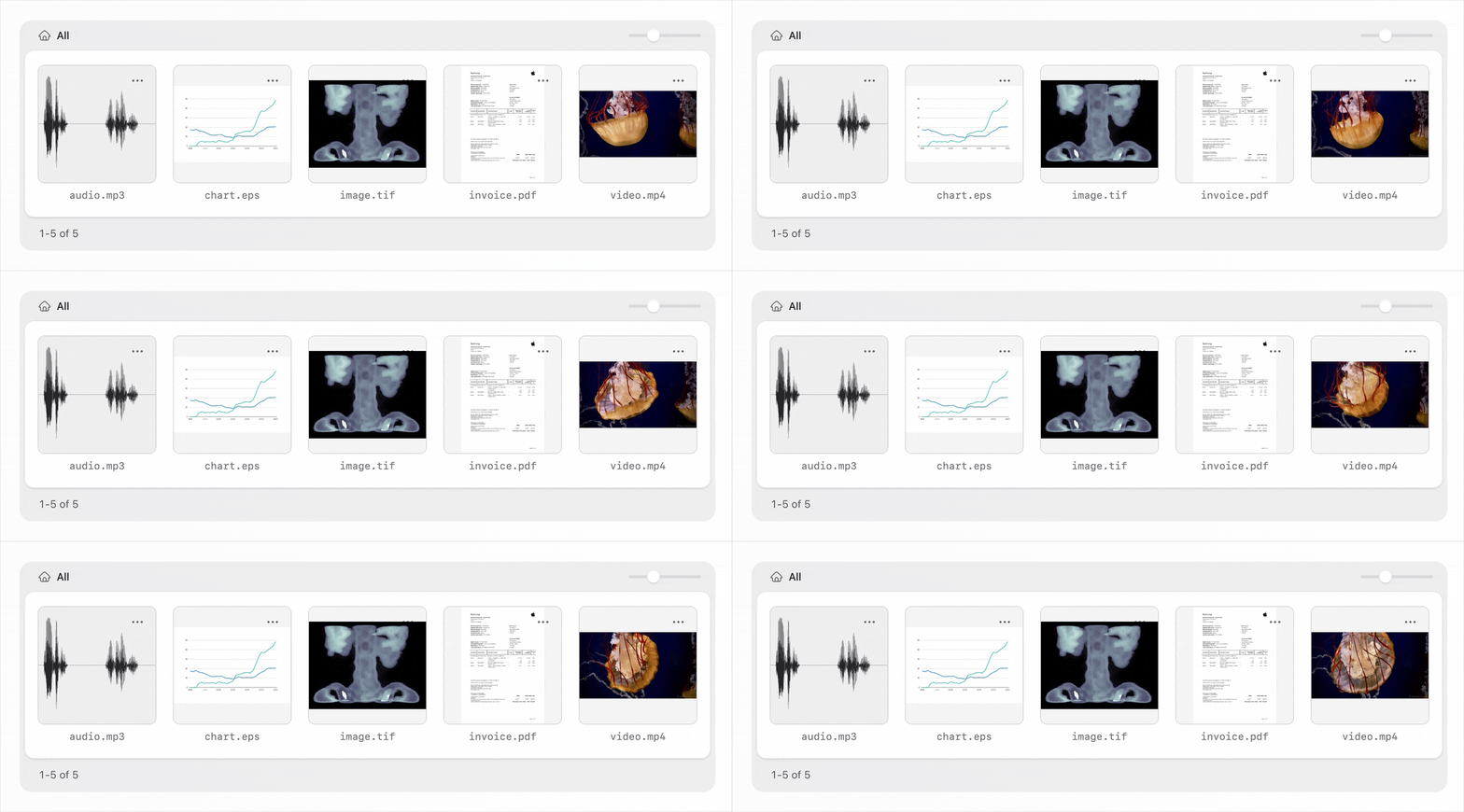
Generate asset thumbnails for exotic file formats like videos, raw photos, audio files and documents.
How It Works
The addon generates control panel thumbnails for non-image files by integrating with a third-party file conversion service and download the resulting preview image.
File Conversion Services
Transloadit
9$/month for 5GB of uploads
Free tier allows 5GB of uploads & adds watermarks to thumbnails
CloudConvert
10€/month for 1000 uploads / 18€ once for 1000 credits
Free tier allows 10 thumbnails per day
Transloadit supports a few more file formats and advanced customization. The most obvious difference is audio files: Transloadit can generate thumbnails from wave forms or embedded artwork, while CloudConvert does not support audio files at all.
Quick Start
- Install using
composer require daun/statamic-asset-thumbnails - Configure the driver and credentials in
config/statamic/asset-thumbnails.php - Install the required composer packages for your chosen driver:
- Transloadit:
composer require transloadit/php-sdk - CloudConvert:
composer require cloudconvert/cloudconvert-php
- Transloadit:
- Any supported files will now automatically get a thumbnail in the control panel
- Recommended: set up a custom cache disk for faster thumbnail loading (see below for details)
- Recommended: disable thumbnail generation in local/dev environments to save on conversion credits
File Formats
Both drivers support the following file formats:
- Image: tiff, bmp
- Video: mp4, mov, avi, mkv, webm, wmv
- Photo: raw, dng, heic, heif, nef, cr2, cr3, crw
- Document: pdf, doc, docx, ppt, pptx, xls, xlsx, rtf, txt
- Adobe: psd, psb, eps
Transloadit supports a few additional formats:
- Audio: mp3, aac, aif, m4a, off, opus, flac, wav
- Video: h264
- Adobe: ai
- Photo: nrw, dcm
Cache Disk
The default setup streams cached thumbnails from a custom controller. This simplifies initial setup,
but comes with some overhead. To make thumbnails load faster, you can define a custom disk inside
your app's public folder. Thumbnails can then be served directly from a public url, circumventing
Laravel entirely.
First, define a new disk in config/filesystems.php.
'disks' => [+ 'thumbnails' => [+ 'driver' => 'local',+ 'root' => storage_path('app/public/thumbnails'),+ 'url' => env('APP_URL').'/storage/thumbnails',+ 'visibility' => 'public',+ ],],Then, update the cache disk in config/statamic/asset-thumbnails.php.
'cache' => [- 'disk' => null,+ 'disk' => 'thumbnails',],Commands
You can clear the thumbnail cache using the following command:
php please thumbnails:clearLicense
This addon is paid software with an open-source codebase. To use it in production, you'll need to buy a license from the Statamic Marketplace.