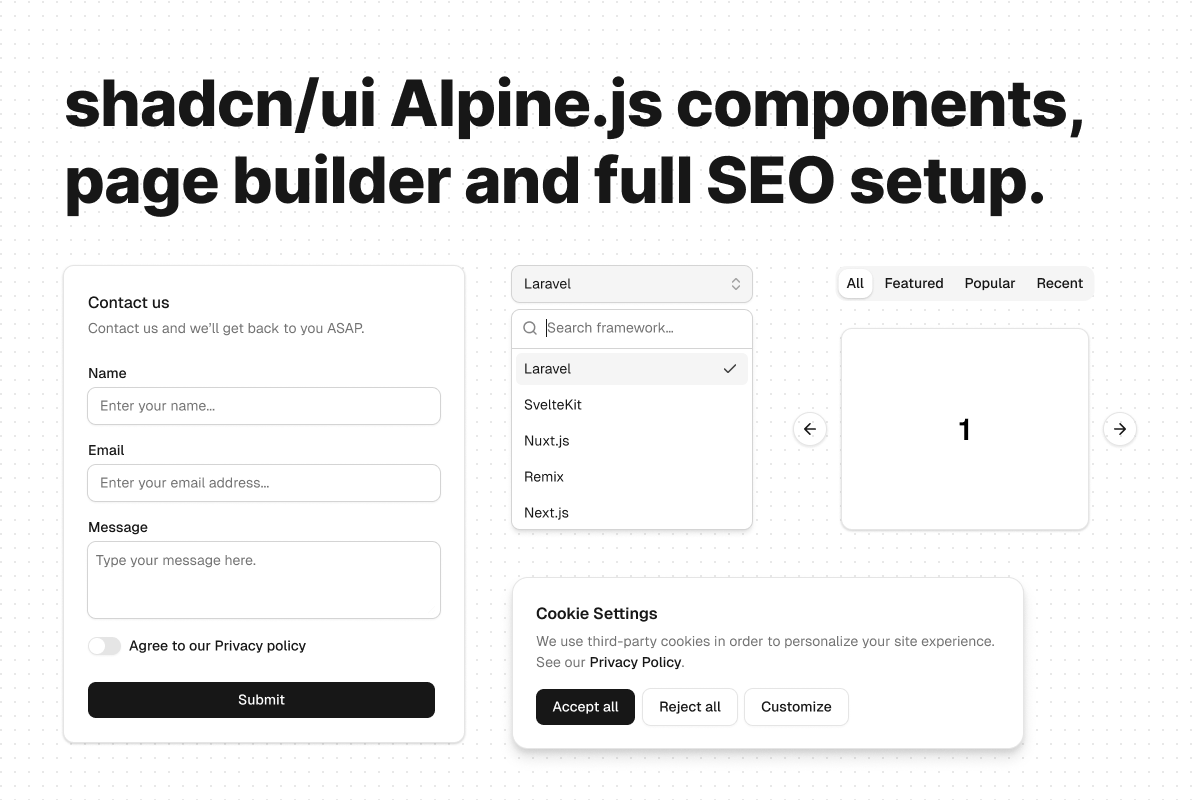

Bedrock demo
#Requirements
Before running Statamic, you should ensure that your local machine has PHP and Composer installed. If you are developing on macOS, PHP and Composer can be installed via Homebrew. In addition, I recommend installing Bun for frontend dependencies.
#Installation
Using the Statamic CLI tool run the following command:
statamic new project_name jasonbaciulis/bedrock- Navigate to the installed project folder:
cd project_name - Install frontend dependencies:
bun install - Create a Statamic user:
php please make:user - (Optional) install the MCP server and AI coding guidelines:
php artisan boost:install - Start Laravel's local dev server, bun run dev, start queue:
composer run dev
Recommended to use Herd for local dev.
Once you have started the development server with composer run dev, the website will be accessible in your web browser at https://bedrock.test. Head to https://bedrock.test/cp and use your email address and password to sign into the Statamic control panel.
#Tools, libraries and addons used in the project
- Statamic - Flat file Laravel CMS.
- TailwindCSS - Utility-first CSS framework.
- Alpine.js - Rugged, minimal tool for composing behavior directly in your markup.
- Embla - A lightweight carousel library with fluid motion and great swipe precision.
- Laravel Boost - Accelerates AI-assisted development by providing the essential context that AI needs to generate high-quality, Laravel-specific code.
- Statamic MCP - MCP (Model Context Protocol) server for Statamic that provides AI assistants with structured access to Statamic's capabilities through a modern router-based architecture.
#Views folder structure
resources/views/├── blocks/ # Page building blocks (Replicator fields)├── components/ # Project specific reusable components│ └── ui/ # Highly-reusable shadcn/ui style Alpine.js components│ └── form/ # Form field types (custom Statamic form fields will require a snake_case view file here)├── partials/ # Template partials and fragments (things that aren't really reusable go here)├── posts/ # Posts collection templates├── sets/ # Content sets for Article Block├── sitemap/ # Sitemap templates└── errors/ # Error page templates#Tailwind CSS config
config.css- site's config. This file would typically include custom config for the project.typography.css- the Tailwind CSS typography config for customizing the prose class.
#CLI commands
There is a nice list of custom scripts available in the command line to make a developer's job easier and more enjoyable.
#Blocks
Blocks are like LEGO bricks that provide you the maximum flexibility when building pages. Blocks are based on Replicator Fieldtype.
php please make:bedrock-block- Adds a set to the Blocks field.php please delete:bedrock-block- Removes a set from the Blocks field and all associated files.php please rename:bedrock-block- Renames a set inside Blocks and optionally moves to another group.
#Sets
Sets provide a powerful content creation experience with unparalleled flexibility for building entries i.e., Blog posts. Sets live in the the Article field which is based on Bard Fieldtype.
php please make:bedrock-set- adds a set to the Article.php please delete:bedrock-set- removes a set from the Article and all associated files.php please rename:bedrock-set- renames a set in the Article and optionally moves to another group.
#Production env file contents
Dump your .env values here with sensitive data removed. The following is a production example that uses full static caching:
APP_NAME=StatamicAPP_ENV=productionAPP_KEY=APP_DEBUG=falseAPP_URL= STATAMIC_LICENSE_KEY=STATAMIC_STACHE_WATCHER=falseSTATAMIC_STATIC_CACHING_STRATEGY=fullSTATAMIC_REVISIONS_ENABLED=trueSTATAMIC_GRAPHQL_ENABLED=falseSTATAMIC_API_ENABLED=falseSTATAMIC_GIT_ENABLED=trueSTATAMIC_GIT_PUSH=trueSTATAMIC_GIT_DISPATCH_DELAY=1STATAMIC_THEME=business SAVE_CACHED_IMAGES=true STATAMIC_CUSTOM_CMS_NAME="${APP_NAME}"STATAMIC_CUSTOM_LOGO_URL='/assets/logos/logo-brand-fixed.svg' LOG_CHANNEL=stackLOG_DEPRECATIONS_CHANNEL=nullLOG_LEVEL=debug BROADCAST_DRIVER=pusherCACHE_DRIVER=fileFILESYSTEM_DISK=localQUEUE_CONNECTION=redisSESSION_DRIVER=fileSESSION_LIFETIME=120 MEMCACHED_HOST=127.0.0.1 REDIS_HOST=127.0.0.1REDIS_PASSWORD=nullREDIS_PORT=6379 MAIL_MAILER=smtpMAIL_HOST=mailhogMAIL_PORT=1025MAIL_USERNAME=nullMAIL_PASSWORD=nullMAIL_ENCRYPTION=nullMAIL_FROM_ADDRESS=nullMAIL_FROM_NAME="${APP_NAME}" PUSHER_APP_ID=PUSHER_APP_KEY=PUSHER_APP_SECRET=PUSHER_APP_CLUSTER=mt1 MIX_PUSHER_APP_KEY="${PUSHER_APP_KEY}"MIX_PUSHER_APP_CLUSTER="${PUSHER_APP_CLUSTER}" DEBUGBAR_ENABLED=false#NGINX config
When using full static caching strategy you will need to configure server rewrite rules.
To enable resource caching add the following to your NGINX config inside the server block:
expires $expires;And this outside the server block:
map $sent_http_content_type $expires { default off; text/css max; ~image/ max; font/woff2 max; application/javascript max; application/octet-stream max;}#Forge deploy script
if [[ $FORGE_DEPLOY_MESSAGE =~ "[BOT]" ]]; then echo "Auto-committed on production. Nothing to deploy." exit 0fi cd $FORGE_SITE_PATHgit pull origin $FORGE_SITE_BRANCH$FORGE_COMPOSER install --no-interaction --optimize-autoloader --no-dev bun install --frozen-lockfilebun run build$FORGE_PHP artisan cache:clear$FORGE_PHP artisan config:cache$FORGE_PHP artisan route:cache$FORGE_PHP artisan statamic:stache:warm$FORGE_PHP artisan queue:restart$FORGE_PHP artisan statamic:search:update --all$FORGE_PHP artisan statamic:static:clear$FORGE_PHP artisan statamic:static:warm --queue ( flock -w 10 9 || exit 1 echo 'Restarting FPM...'; sudo -S service $FORGE_PHP_FPM reload ) 9>/tmp/fpmlock#Ploi deploy scripts (with zero-downtime enabled)
#Main deploy script
# Early Exit Checkif [[ {COMMIT_MESSAGE} =~ "[BOT]" ]]; then echo "Auto-committed on staging. Nothing to deploy." {DO_NOT_NOTIFY} {CLEAR_NEW_RELEASE} exit 0fi cd {RELEASE} # Git & Dependenciesgit pull --rebase --autostash origin {BRANCH} {SITE_COMPOSER} install --no-interaction --prefer-dist --optimize-autoloader --no-dev --classmap-authoritative # Database (Safe Migration)if [ -f artisan ]; then {SITE_PHP} artisan migrate --forcefi # Frontend Buildbun install --frozen-lockfilebun run build # Laravel Optimization# We group these to minimize the window where the app is "naked"{SITE_PHP} artisan config:cache{SITE_PHP} artisan route:cache{SITE_PHP} artisan view:cache{SITE_PHP} artisan event:cache echo "⏳ Release prepared. Awaiting symlink switch…"#Post deploy script
# Flush the PHP FPM worker{RELOAD_PHP_FPM} # Statamic Stache{SITE_PHP} artisan statamic:stache:clear{SITE_PHP} artisan statamic:stache:warm # Restart Queue Workers{SITE_PHP} artisan queue:restart # Update all search indexes{SITE_PHP} artisan statamic:search:update --all # Static Caching{SITE_PHP} artisan statamic:static:clear{SITE_PHP} artisan statamic:static:warm --queue --insecure echo "