

A complete website for a small business, ready to fill in. Editors build pages from twenty sections in the control panel, choose a look from five themes, and manage products, a blog, a team and enquiries, all without code. Penang runs on Statamic Core, the free edition, so a client site needs no Pro licence. For developers who work with AI coding agents, it's also a Laravel Boost extension.
Live demo: https://penang.cothink.ing (try the themes with the Theme button at the bottom left).
What you get
- A page builder. Twenty sections that editors add, reorder and switch off, each with a few layouts and four backgrounds.
- Five themes. Each one is a whole look (fonts, corners and colours chosen together) in light and dark mode. Every text colour is checked for readable contrast (WCAG AA).
- Products. Categories, prices and sale prices, badges, a details list, links to your Shopee or Lazada shop, and an "Ask on WhatsApp" button. There is no checkout: visitors enquire.
- A blog with categories, a team, site search, and legal pages with a table of contents.
- One enquiry form, with an optional thank-you email to the visitor.
- WhatsApp on every page, and buttons that open a chat, a call, an email or a file.
- Your wording. Labels such as "All products" or "Ask for a price" are editable, and the templates come in English, Malay and Chinese.
- SEO, redirects and analytics, set up for you with the free Marketing Toolkit (more below).
- Ready for AI coding agents. An optional Laravel Boost extension (offered at install) gives Claude Code, Cursor, Codex and other agents Penang's and the Marketing Toolkit's guidelines, skills and read-only MCP tools (more below).
- A user manual for whoever edits the site: docs/user-manual.md.
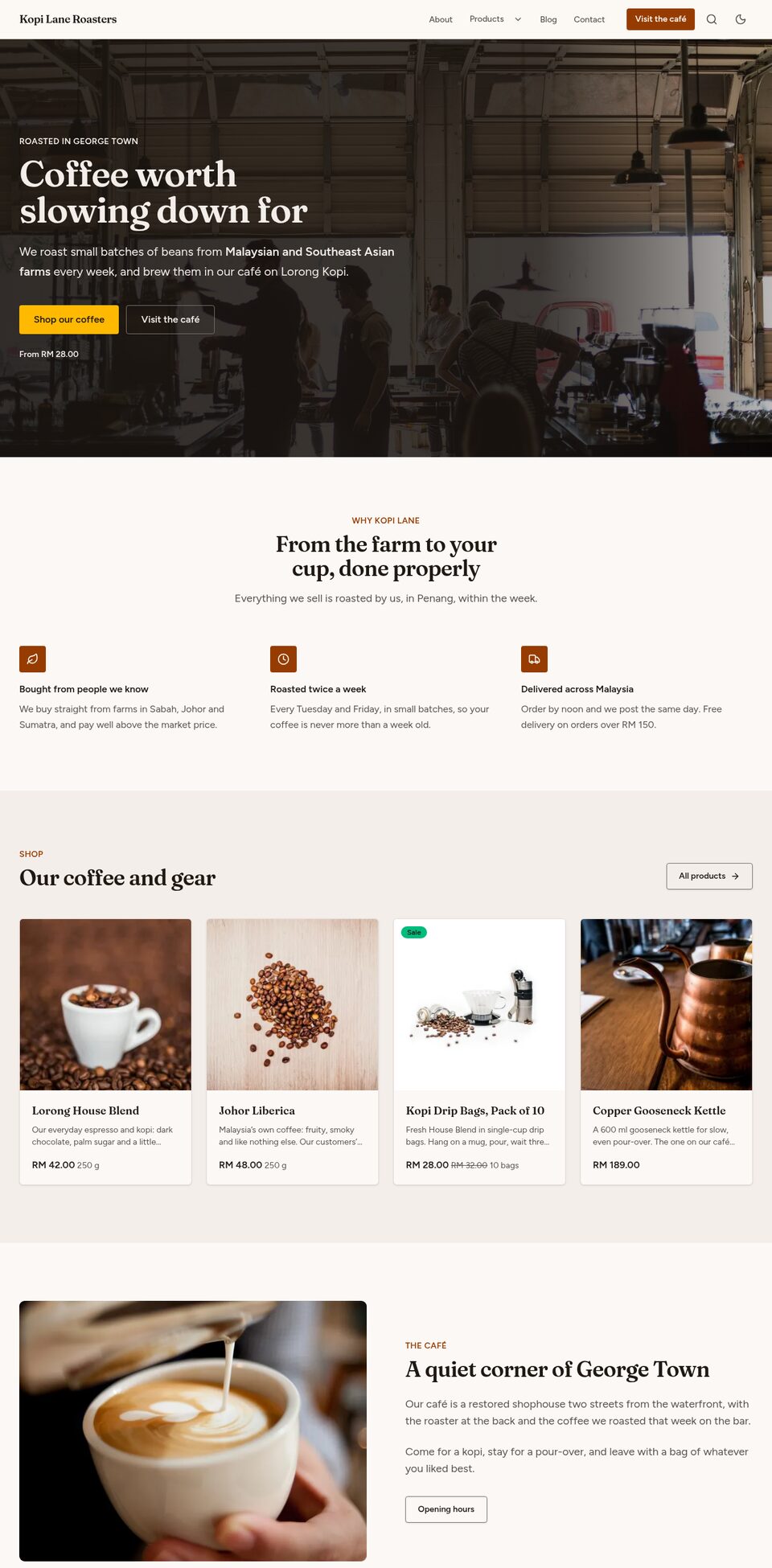
Sample content for a made-up coffee roaster in Penang shows every part working, and the /components page shows every section at once.
The sections
| Hero | Centred, beside a picture, or on a photo or a silent video |
| Text | Paragraphs, headings, lists, quotes and tables |
| Picture and text | One picture or up to four, as a collage with captions |
| Gallery | A grid or masonry; pictures open larger |
| Video | YouTube, Vimeo or your own file, loaded only when played |
| Features | Points with icons (any of Lucide's 2,000) or pictures |
| Steps | Numbered steps or a timeline |
| Tabs | A few panels, one shown at a time |
| Products | Featured, in order, or chosen by hand |
| Team | Portraits or small photos |
| Latest articles | Cards or a list |
| Testimonials | One quote, a grid or a carousel, with stars; or a note signed by your team |
| Logos | A row, a grid or scrolling |
| Figures | A few numbers that tell your story |
| Table | Price lists, comparisons, delivery areas |
| Prices | Up to four packages side by side |
| Questions | Frequently asked questions, which Google reads too |
| Call to action | Ask the visitor to take the next step |
| Enquiry form | The form, with your contact details |
| Map and address | A map, opening hours, and directions in Google Maps and Waze |
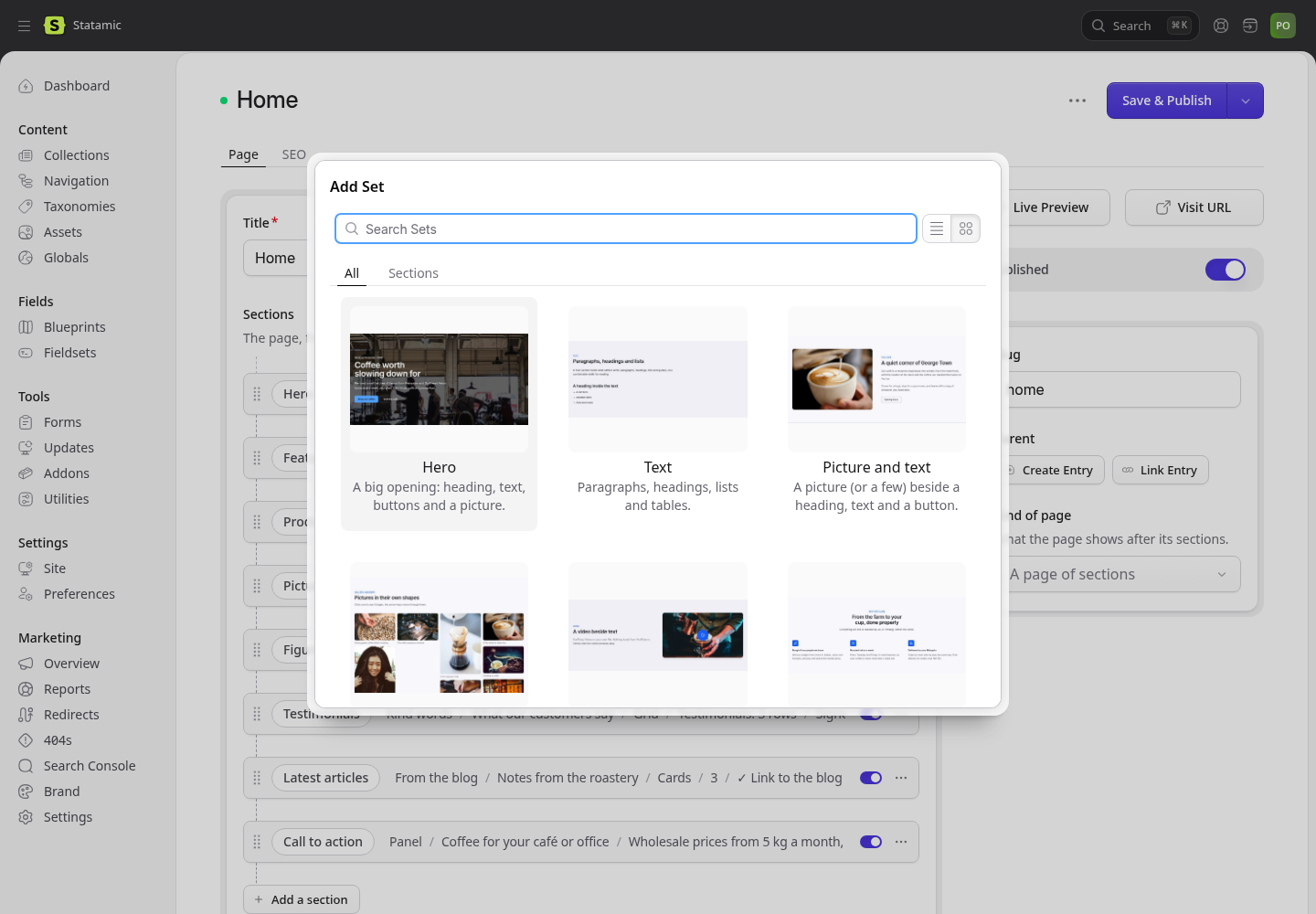
Editors pick each section from a picture of it:
The themes
Default, Kopitiam (warm), Pantai (sea), Hutan (forest) and Batik (indigo and soga brown). Editors choose one under Globals → Theme, plus light, dark or the visitor's choice. Saving changes the whole site at once, with no rebuild.
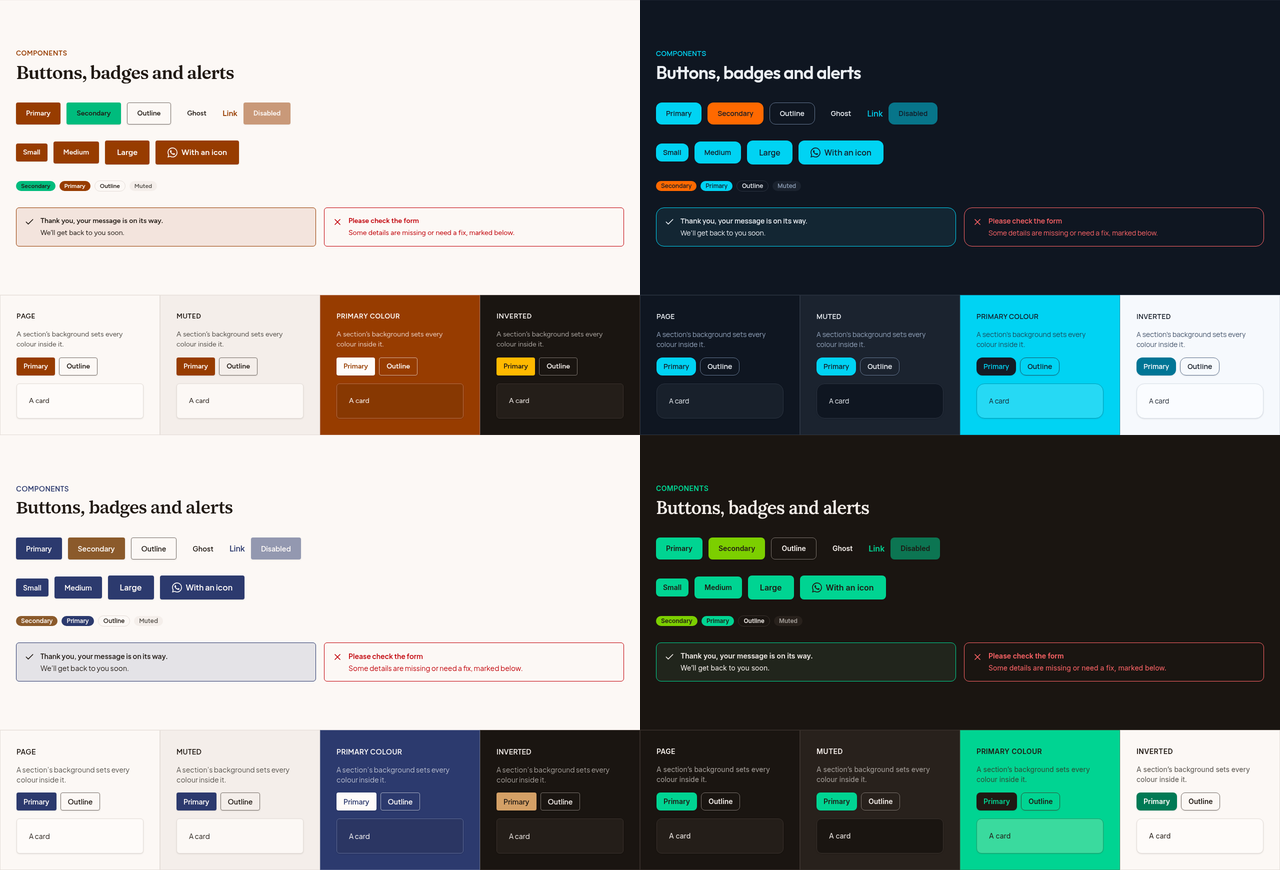
A theme for your client's brand is a few lines in app/Theme/Options.php. A hex colour is used exactly as given wherever it stays readable, and is darkened or lightened only where it isn't:
'acme' => [ 'label' => 'Acme', 'heading_font' => 'cormorant-garamond', 'body_font' => 'montserrat', 'radius' => 'small', 'base' => 'stone', 'primary' => '#5a2850', 'secondary' => '#cea05f',],Add it to the Preset options in resources/blueprints/globals/theme.yaml, choose it under Globals → Theme, and check it on /components. Fourteen self-hosted fonts are included.
SEO and marketing: the Marketing Toolkit
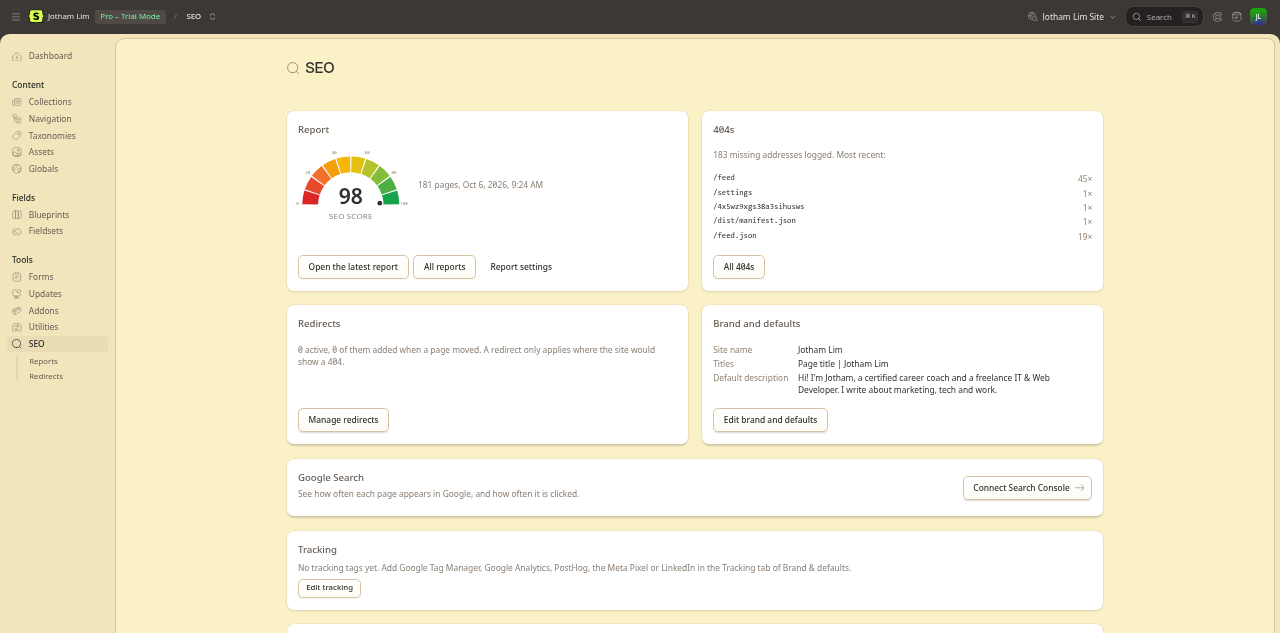
Penang comes with the Marketing Toolkit, a free addon by the same author, installed and configured. It hands SEO and analytics to whoever does the marketing, with no code:
- Every page ready for search and sharing: its title, description, share card (drawn for you when there's no picture), canonical address and structured data. Penang tells it about the local business, products, articles, FAQs and breadcrumbs. Editors see a Google and social preview as they type.
- Sitemap, robots.txt and llms.txt without filling in a field.
- Redirects and 404s: moving a page adds its redirect, missing pages are logged, and anyone can add redirects (wildcards and CSV import included).
- An SEO score for every page, with each problem linking to the entry that fixes it, and a toolbar on the live site for signed-in editors.
- Tracking: paste a GTM, GA4, PostHog, Meta Pixel or LinkedIn ID. It supports Consent Mode v2, and enquiries are sent on as leads with their source.
- Google Search Console clicks and impressions per page.
It works on any Statamic site too: get it on the Marketplace.
Requirements
- PHP 8.3 or later, and Statamic 6.35 or later (Core is enough) on Laravel 13
- A database for the Marketing Toolkit (SQLite, Laravel's default, is fine)
- Node 20 or later, only if you change templates or styles (built assets are included)
Installing
Buy Penang on the Statamic Marketplace; the installer asks for your licence.
statamic new my-site jotham-lec/statamic-penangOr, in a new Statamic site:
php please starter-kit:install jotham-lec/statamic-penang --clear-site(--clear-site removes the new site's own sample files first. Don't use it on a site with content you want to keep.)
Then:
- Create your user:
php please make:user --super. - Set
APP_URLin.envto the site's address. - In the control panel, replace the sample business under Marketing → Brand (name, contact details, address, opening hours, and the default share image), Globals → Site settings (WhatsApp number, header button, footer) and Globals → Theme.
- Replace or delete the sample pages, products, articles, team and pictures.
- Give the user manual to whoever edits the site.
If you change templates or styles, run npm install && npm run build.
For developers
Blade, Tailwind CSS v4 and Statamic's own content model: no Antlers and no extra packages beyond the Marketing Toolkit.
- Sections:
resources/fieldsets/page_builder.yamland one view each inresources/views/components/blocks/. To add one, add a set (ending withimport: section_options) and a view that wraps its content in<x-section :block="$block">. - Colours: views use only the theme's colour classes (
bg-primary,text-muted-foreground…), so every section follows every theme. The theme lives inapp/Theme/. - Wording: editors change most of it under Globals → Site settings → Labels. The rest is in
lang/ms.jsonandlang/zh_CN.json, used when the site's language ismsorzh_CN. - Search:
config/statamic/search.php. Runphp please search:updateto rebuild the index. - Demo mode:
PENANG_THEME_PREVIEW=truein.envshows the theme switcher to every visitor.
For AI coding agents: a Laravel Boost extension
Penang and the Marketing Toolkit extend Laravel Boost, Laravel's official AI toolkit, with what an agent needs to know about this site. They add to Boost and to Statamic's own Boost guideline, and don't replace either. The installer offers it as an option ("Add Laravel Boost…"), which adds Boost as a dev dependency. Then run php artisan boost:install and choose your agents (Claude Code, Cursor, Codex, OpenCode…).
- Guidelines: how Penang is built and its rules (theme colours only, presets, sections, Statamic Core's limits, Blade traps), and how the Marketing Toolkit fits (what not to hand-write).
- Skills:
penang-add-section: a new section or layout;penang-client-preset: a client's brand as a theme preset;penang-launch: from the sample site to the client's;- from the toolkit,
marketing-toolkit-seo-rulesandmarketing-toolkit-extend.
- MCP tools, added to Boost's own MCP server and read-only:
penang-theme-check: a preset's contrast in every background, light and dark, and the colours it really uses;penang-sections: the page builder's sections, layouts and fields;- from the toolkit,
marketing-toolkit-page-seo,marketing-toolkit-reportandmarketing-toolkit-redirect.
Every name starts with penang- or marketing-toolkit-, so nothing clashes with Boost's or Statamic's own. Turn the tools off with 'boost_tools' => false in config/penang.php (and marketing-toolkit.boost.tools).
Privacy
Nothing is sent anywhere unless the visitor acts. The map loads from OpenStreetMap when the visitor scrolls to it. Videos load from YouTube or Vimeo only when played. WhatsApp, Google Maps and Waze are links the visitor follows. The Marketing Toolkit's tracking runs only with the IDs you set, under Consent Mode.
Support, licence and credits
- Support: GitHub issues.
- Changes: CHANGELOG.md.
- Licence: one licence per site; see LICENSE.md.
- Credits: the fonts, icons and sample photos are open-licence or public domain, listed in NOTICE.md.
- Marketing Toolkit: free, MIT-licensed, installed with Penang.