
Mark words and sections of Bard content as written in another language.
How it works
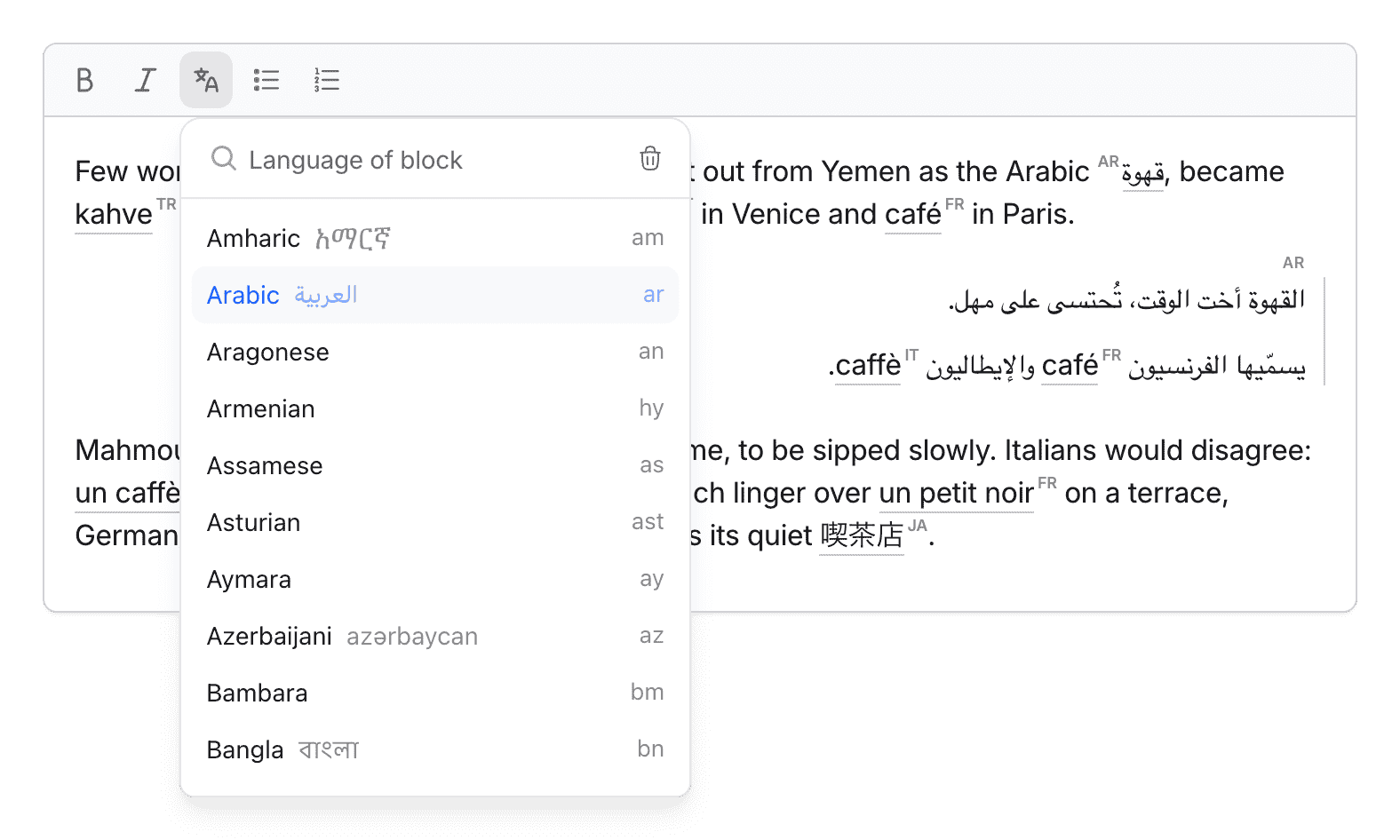
Editors pick a language for a phrase or a whole block. The addon adds a lang attribute, plus a dir attribute derived from the language. Screen readers, hyphenation, spell checkers, translation tools, and fonts all use the lang attribute to handle text correctly. Right-to-left passages render correctly in a left-to-right page.
Say <span lang="fr" dir="ltr">bonjour</span>or <span lang="ar" dir="rtl">مرحبا</span>.Quick start
Install the addon
composer require daun/statamic-bard-languagesAdd the button
Add the language button to a Bard field, either in the blueprint editor or in its YAML:
type: bardbuttons: - bold - italic - languageRender the content
Nothing to do. Bard outputs the lang and dir attributes like any other markup.
{{ content }}Documentation
Read the detailed documentation for how selections are marked, language suggestions, restricting languages, and text direction.