
1.1.0
July 20th, 2026
What's new
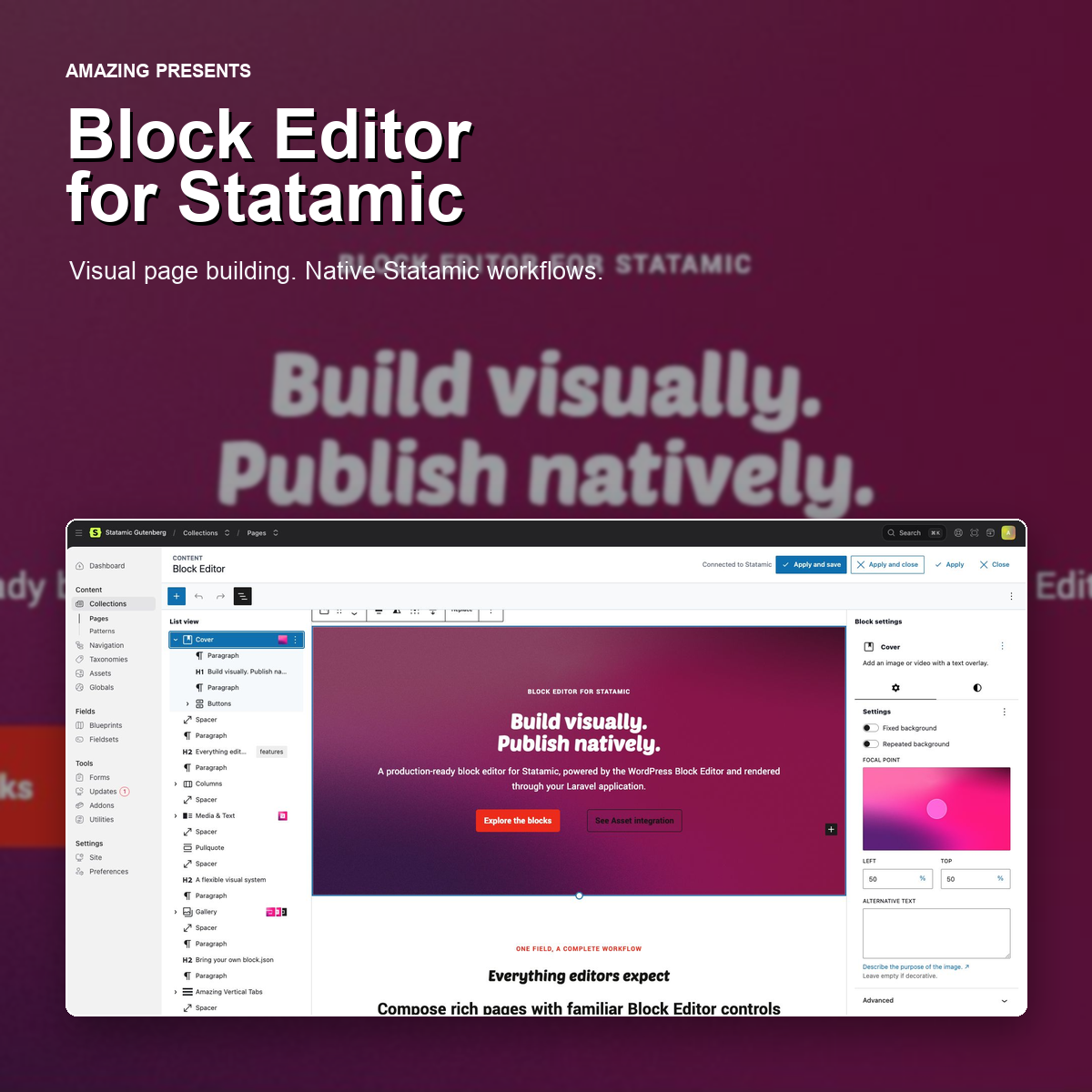
- Added an integrated Statamic Live Preview split view. The Block Editor now stays inside the resizable editor pane while the preview remains visible, with compact drawer behavior for List View and Block settings.
- Expanded
theme.jsonwebfont support with the current WordPressfontFacedescriptors, including variable font ranges and validatedunicodeRangesubsets. - Improved editor/frontend style parity so project typography and presets take precedence over fallback editor styles, and border colors or radii do not create a visible border without an explicit width or style.
- Clarified the product model throughout the documentation: the addon is a body-content field, while entry metadata and publishing remain Statamic-native.
Live Preview behavior
Apply refreshes Live Preview without saving the entry. Apply and save, Apply and close, and Close retain their existing behavior.
Updating
#292D3E; --theme-selection-background: #00000080;">composer update amazingbv/statamic-gutenbergphp artisan vendor:publish --tag=statamic-gutenberg --forcephp artisan optimize:clear1.0.2
July 14th, 2026
Block Editor for Statamic 1.0.2
This documentation release adds the complete user guide used by the Statamic Marketplace Documentation tab.
Added
- Installation, field configuration, editor workflow, and frontend rendering guides.
- Full references for media, theme.json, block styles, icons, patterns, Bard sets, and custom blocks.
- Security guidance, supported blocks, limitations, and troubleshooting.
No runtime code or editor behavior changed in this release.
1.0.1
July 14th, 2026
Block Editor for Statamic 1.0.1
This maintenance release updates the project documentation for public distribution.
Changed
- Updated installation and upgrade instructions for Composer and Packagist.
- Removed legacy internal repository references.
- Updated public product naming and contributor instructions.
No runtime code or editor behavior changed in this release.
1.0.0
July 10th, 2026
Block Editor for Statamic 1.0.0
The first production release of Block Editor for Statamic brings a flexible, block-based authoring experience to Statamic 6 while keeping content, assets, rendering, and project customizations inside Statamic and Laravel.
Highlights
- Edit content in a full-size Block Editor overlay integrated into the Statamic Control Panel.
- Store content as portable, WordPress-compatible serialized block markup.
- Use a broad set of core content, media, layout, design, and embed blocks.
- Control alignment, colors, typography, spacing, borders, dimensions, shadows, and responsive layouts through native block controls.
- Browse, search, upload, and select media from authorized Statamic Asset containers and folders.
- Build galleries with multi-select and edit asset title, alternative text, and caption metadata.
- Manage reusable and synced patterns from Statamic, including custom pattern categories.
- Load project-level design settings and styles from
theme.json. - Register project-specific block styles through configuration or the Laravel facade.
- Load custom blocks from project-local
block.jsondefinitions, including editor styles, frontend styles, scripts, dynamic rendering, and view scripts. - Render supported blocks safely on the frontend with responsive content, wide, and full-width layouts.
- Embed YouTube, Vimeo, Spotify, and SoundCloud content.
- Use syntax highlighting when editing serialized content in Code Editor view.
Built for Statamic projects
Media remains in Statamic Assets, patterns remain manageable in Statamic, and custom blocks and design configuration can live in the host application. The add-on does not require a WordPress installation or WordPress backend.
Compatibility
- Statamic 6
- Laravel applications supported by Statamic 6
See the repository README for installation, configuration, theming, custom block, pattern, media, and frontend rendering documentation.