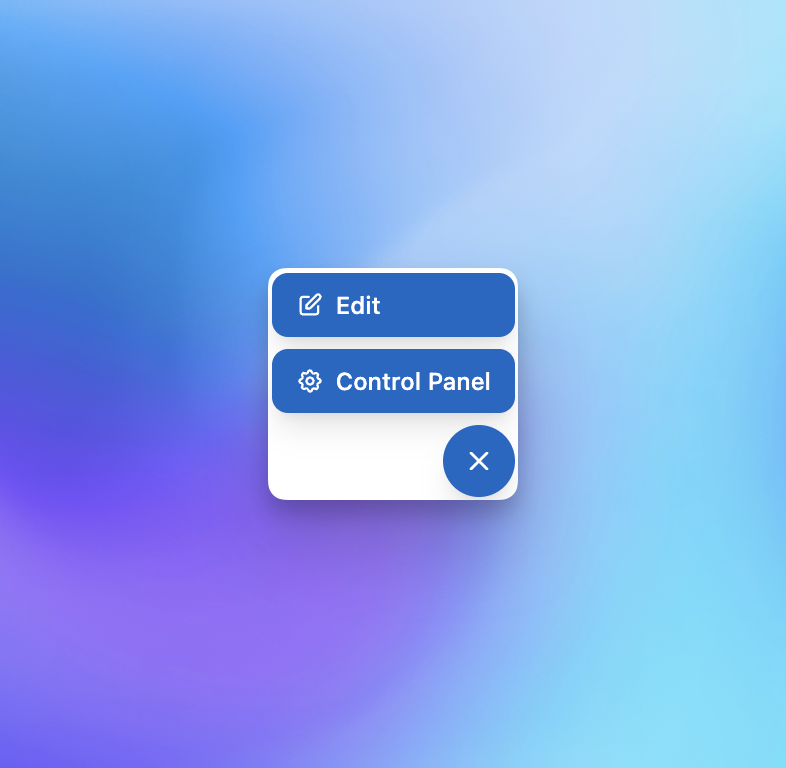

A lightweight Statamic addon that adds a floating toolbar to the frontend for logged-in users. Gives editors quick access to edit the current entry or jump to the Control Panel without leaving the page.
Features
- Zero config — install and it works immediately
- Edit button — opens the current entry in the CP editor (shown when an
edit_urlis available) - Control Panel button — links to the CP dashboard
- Collapsible — toggle open/closed and remember your preference
- Logged-in users only — hidden from public visitors
- No frontend dependencies — includes its own styles and JavaScript (no Alpine or Tailwind required)
Requirements
- Statamic 5.63+ or 6.x
Installation
composer require chrisvasey/simple-statamic-toolbarThat's it. The toolbar will automatically appear for logged-in users on the frontend.
Customisation
Publish the views to override the toolbar template:
php artisan vendor:publish --tag=simple-statamic-toolbar-viewsThis copies the view to resources/views/vendor/simple-statamic-toolbar/ where you can modify it freely.
Testing
composer testnode --test tests/toolbar.test.mjsLicense
MIT. See LICENSE for details.